产品展示
界面稿
角色设定
产品视觉 GPT Image 2 提示词:9-Photo Men's Fashion Collage
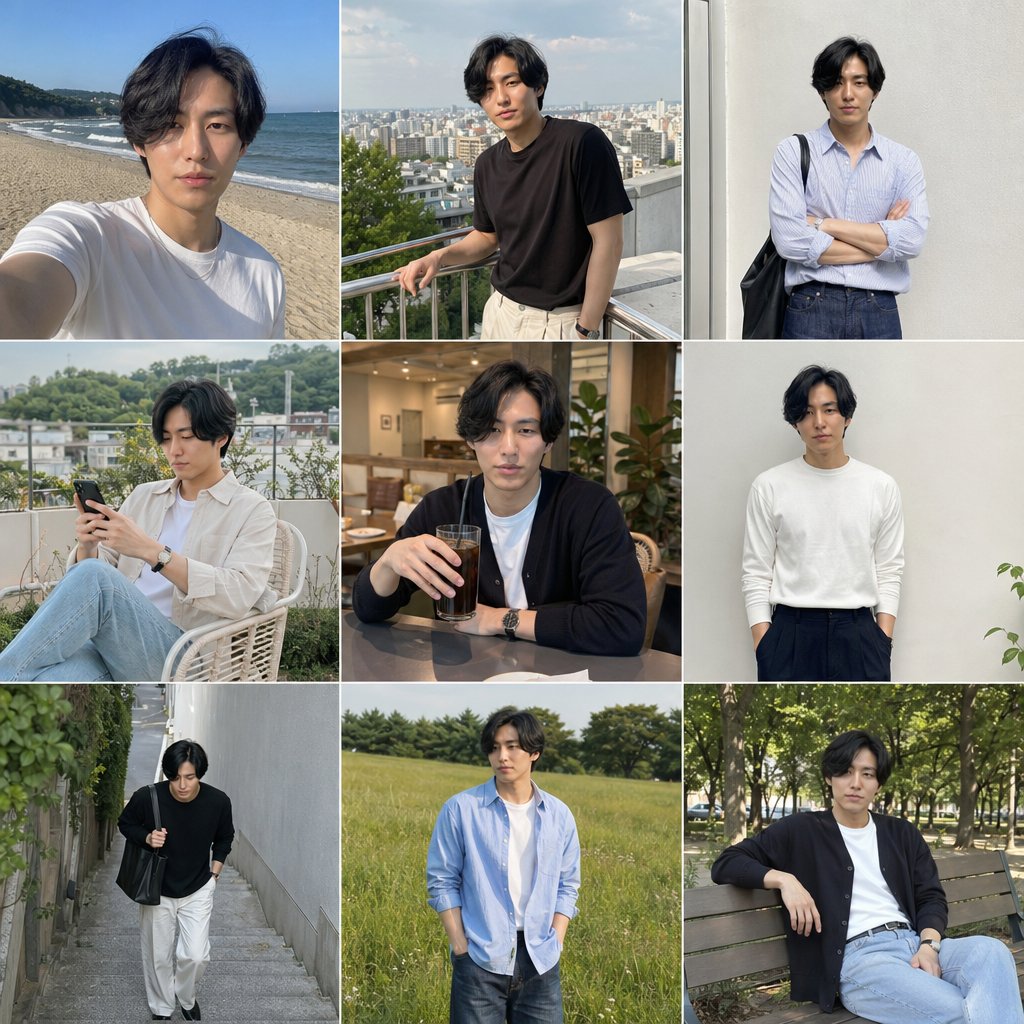
This prompt turns one portrait reference into a cohesive nine-image lifestyle fashion collage for social media app-style personal branding or outfit inspiration.
📝 提示词
Using the provided reference image, generate a clean 3x3 social media app-style fashion lookbook collage featuring the same person with consistent hairstyle, build, and overall identity, but with the face kept anonymized/blurred. Create 9 different lifestyle outfit photos with natural candid poses and soft, realistic photography. Keep the subject as a stylish young man and vary the clothing, location, framing, and pose across all 9 tiles. Include exactly these 9 scenes: 1) beach selfie in a white T-shirt on a sunny shore, 2) rooftop city-view shot wearing a black T-shirt and light pants, leaning on a railing, 3) standing against a plain light wall in a light blue striped button-up shirt with dark jeans and a black shoulder tote, arms crossed, 4) seated outdoor terrace shot holding a smartphone, wearing a white T-shirt with a light beige overshirt and light blue jeans, 5) cozy cafe table portrait with a dark cardigan over a white T-shirt, holding a glass drink, 6) minimal full-body portrait against a plain wall in a fitted white long-sleeve top and dark trousers, hands in pockets, 7) walking down a narrow outdoor stairway/alley in a black knit top with white pants and a black bag, 8) standing in a grassy field wearing a light blue open shirt over a white T-shirt with dark jeans, hands in pockets, 9) relaxed park bench shot under trees wearing a dark cardigan, white T-shirt, and light blue jeans. Use natural daylight, muted elegant colors, realistic editorial fashion photography, and a cohesive social-media-friendly aesthetic.
🎯 适合场景
适合做女装店上新、小红书穿搭、电商主图和模特氛围图:保留服装细节、姿势、场景和光线,再替换成你的款式。
💡 改写建议
- 保留姿势、镜头、光线和店铺或小红书场景,女装出图会更像可用素材。 先替换变量里的品类、人物、城市、品牌色,不急着改整段结构。 把主体、构图和风格分开写,后续微调会更稳。