产品展示
故事叙事
产品视觉 GPT Image 2 提示词:Add Cinematic Centered Title Banner
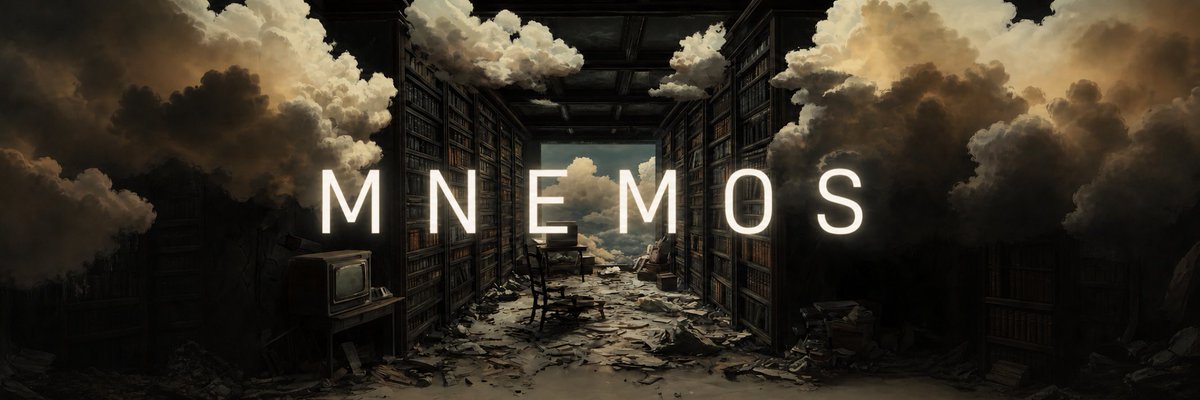
This prompt turns a reference artwork into a polished widescreen hero banner by extending the canvas and adding a clean centered title for brand or project headers.
📝 提示词
Using REFERENCE_0 as the base artwork, expand it into a wide cinematic banner while preserving the same surreal abandoned library scene, composition, mood, and painterly lighting. Add a single centered title across the middle: {argument name="headline text" default="MNEMOS"}. Set the text in a tall, clean, widely tracked all-caps sans-serif, bright warm white, sized large enough to span most of the frame width. Make the lettering feel integrated into the scene rather than pasted on: add a very subtle soft glow, a gentle shadow for readability, and a slightly dimmed outline or edge contrast so it sits naturally against the dark shelves and clouds. Keep the background untouched except for any minimal tonal balancing needed to improve text legibility and make the overall image look subtly more polished.
🎯 适合场景
适合快速搭建产品图、包装展示和品牌海报:主体、材质、背景与商业修图方向已经有框架,换掉变量就能开跑。
💡 改写建议
- 先替换变量里的品类、人物、城市、品牌色,不急着改整段结构。 把主体、构图和风格分开写,后续微调会更稳。