产品展示
信息图
界面稿
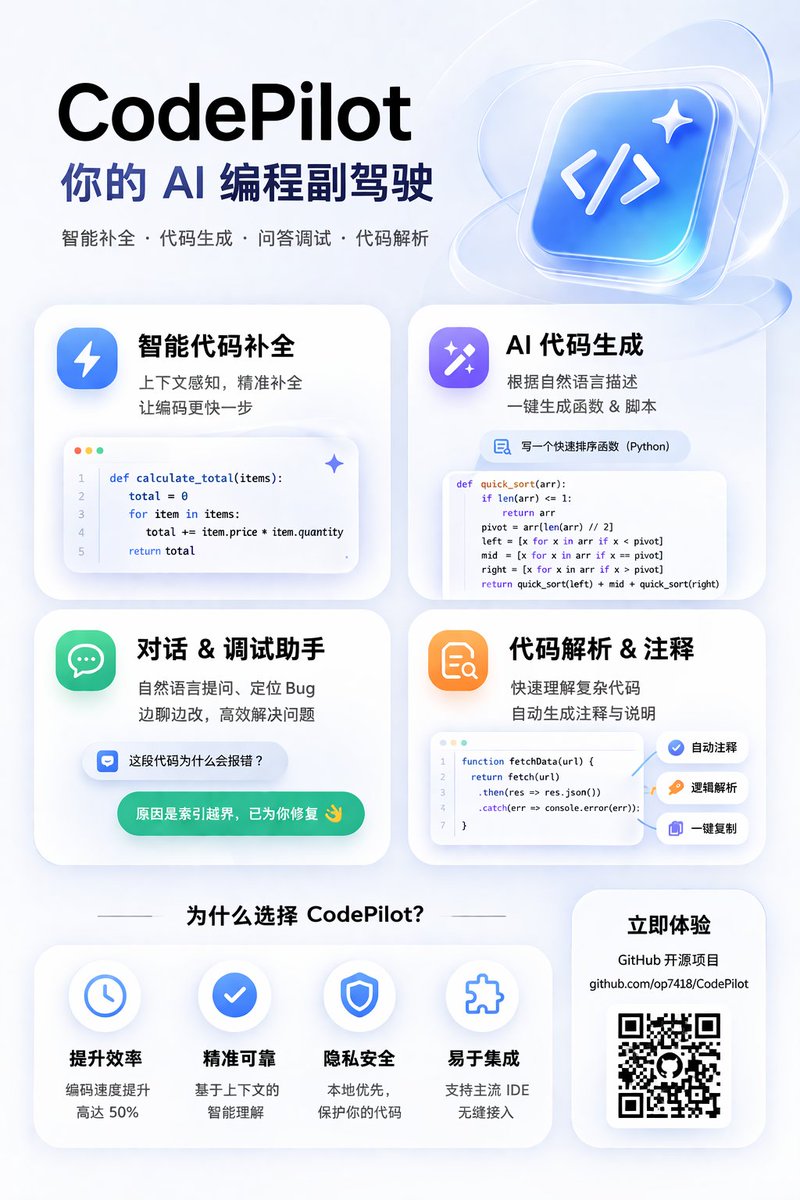
产品视觉 GPT Image 2 提示词:AI Coding Assistant Promo Infographic
Generates a modern, glassmorphism-style promotional poster for an AI coding tool, featuring a 2x2 grid of feature cards with code snippets and a benefits section.
📝 提示词
{
"type": "app promotional infographic poster",
"style": "clean, modern, glassmorphism, soft shadows, 3D icons",
"theme": "{argument name="primary color theme" default="blue and white"}",
"header": {
"title": "{argument name="app name" default="CodePilot"}",
"subtitle": "{argument name="subtitle" default="你的 AI 编程副驾驶"}",
"features_list": "智能补全 · 代码生成 · 问答调试 · 代码解析",
"main_icon": "glossy 3D rounded square, blue gradient, white {argument name="main icon symbol" default=""} and sparkles"
},
"layout": {
"sections": [
{
"title": "feature_cards",
"position": "middle grid",
"count": 4,
"items": [
{
"label": "智能代码补全",
"icon": "blue lightning bolt",
"description": "上下文感知, 精准补全 让编码更快一步",
"ui_element": "macOS style code window with Python calculate_total function"
},
{
"label": "AI 代码生成",
"icon": "purple magic wand",
"description": "根据自然语言描述 一键生成函数 & 脚本",
"ui_element": "chat prompt bubble and code window with Python quick_sort function"
},
{
"label": "对话 & 调试助手",
"icon": "green chat bubble",
"description": "自然语言提问、定位 Bug 边聊边改, 高效解决问题",
"ui_element": "chat interface with user question and green AI resolution bubble"
},
{
"label": "代码解析 & 注释",
"icon": "orange document with magnifying glass",
"description": "快速理解复杂代码 自动生成注释与说明",
"ui_element": "code window with JS fetchData function and 3 floating action tags: 自动注释, 逻辑解析, 一键复制"
}
]
},
{
"title": "为什么选择 CodePilot?",
"position": "bottom left",
"count": 4,
"labels": ["提升效率", "精准可靠", "隐私安全", "易于集成"],
"icons": ["clock", "checkmark", "shield", "puzzle piece"]
},
{
"title": "立即体验",
"position": "bottom right",
"count": 1,
"elements": ["GitHub 开源项目", "{argument name="github link" default="github.com/op7418/CodePilot"}", "QR code"]
}
]
}
}
🎯 适合场景
适合快速搭建产品图、包装展示和品牌海报:主体、材质、背景与商业修图方向已经有框架,换掉变量就能开跑。
💡 改写建议
- 先替换变量里的品类、人物、城市、品牌色,不急着改整段结构。 把主体、构图和风格分开写,后续微调会更稳。