产品展示
界面稿
角色设定
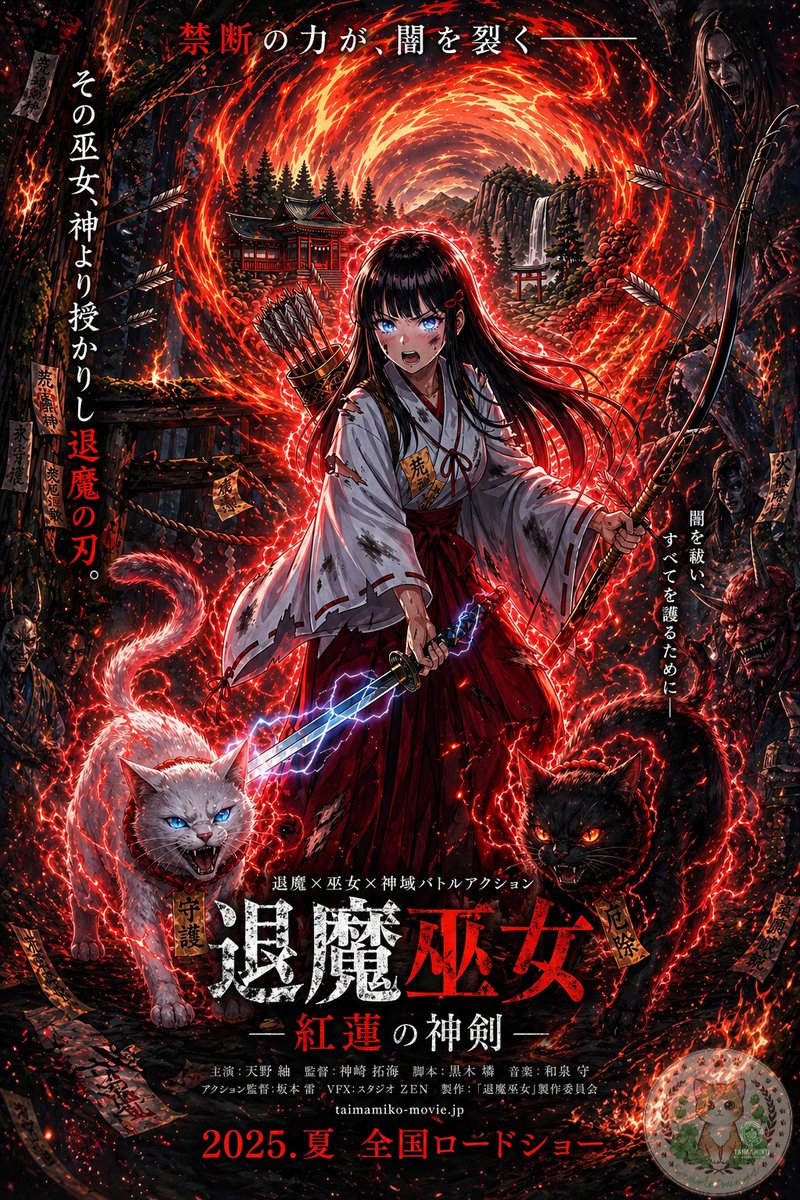
产品视觉 GPT Image 2 提示词:Anime Shrine Maiden Movie Poster
This prompt transforms a reference fantasy character illustration into a dark, text-heavy Japanese theatrical poster for a fictional supernatural action film.
📝 提示词
Using the provided reference image, turn it into a dramatic Japanese theatrical movie poster while keeping the same shrine maiden archer-swordswoman, fiery portal, bow, quiver, lightning sword, and shrine setting as the base. Push the image into a much darker, high-contrast, more detailed cinematic poster style with intense red-and-black grading, denser embers, stronger rim lighting, and a more ominous supernatural atmosphere. Add 2 demonic guardian cats in the foreground at the character’s feet: 1 white cat on the left with blue glowing eyes and an open snarling mouth, and 1 black cat on the right with red glowing eyes and an open snarling mouth, both wrapped in crackling red energy. Add shadowy monster and oni faces emerging from the dark forest edges on both sides. Increase the number of flying arrows, talismans, sparks, and glowing red energy trails around the character. Preserve the central heroic composition, but format the whole image as a full Japanese film poster with layered typography. Add the top tagline in Japanese: "禁断の力が、闇を裂く—". Add 2 vertical side taglines: left side "その巫女神より授かりし退魔の刃。" and right side "闇を祓い、すべてを護るために—". Add a small genre line above the title: "退魔×巫女×神域バトルアクション". Add the main title near the bottom center in large distressed kanji: "退魔巫女", with the subtitle beneath it: "—紅蓮の神剣—". Add a credits block in small Japanese text below the title, then add the website "taimamiko-movie.jp" and the release line at the very bottom: "2025.夏 全国ロードショー". Include a small dark rectangular logo block in the top-right corner. Make it look like a polished fantasy-horror action poster for a fictional movie.
🎯 适合场景
适合快速搭建产品图、包装展示和品牌海报:主体、材质、背景与商业修图方向已经有框架,换掉变量就能开跑。
💡 改写建议
- 先替换变量里的品类、人物、城市、品牌色,不急着改整段结构。 把主体、构图和风格分开写,后续微调会更稳。