信息图
界面稿
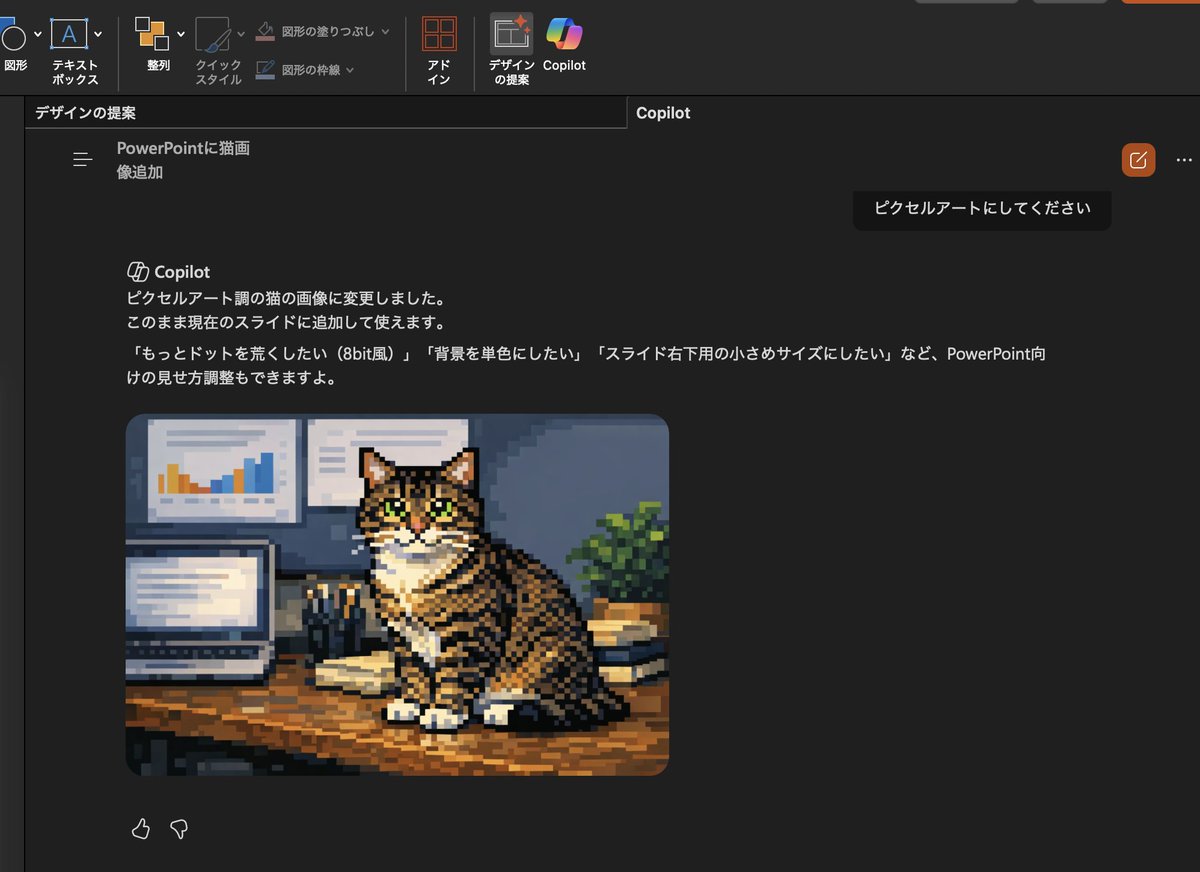
信息图 GPT Image 2 提示词:Convert Copilot cat image to pixel art
This prompt turns the generated cat photo inside a PowerPoint Copilot screenshot into pixel art and updates the Japanese UI text to match the new edit request.
📝 提示词
Using the provided reference image, transform only the inserted cat photo into retro pixel art while keeping the overall PowerPoint dark-mode Copilot screenshot layout, interface, and composition unchanged. Preserve the same tabby cat, pose, desk setting, laptop, wall charts, books, and plant, but redraw that image as chunky low-resolution game-style pixel art with visible square pixels, simplified shading, and an 8-bit feel. Also update the visible Japanese Copilot request and response text so the request says 「ピクセルアートにしてください」 and the response explains that the cat image was changed to pixel-art style, with follow-up suggestions mentioning 3 options: 「もっとドットを荒くしたい(8bit風)」, 「背景を単色にしたい」, and 「スライド右下用の小さめサイズにしたい」.
🎯 适合场景
适合做图解、清单、路线图和知识长图:先锁定信息层级,再把文字量控制在模型能稳定处理的范围里。
💡 改写建议
- 先替换变量里的品类、人物、城市、品牌色,不急着改整段结构。 把主体、构图和风格分开写,后续微调会更稳。