产品展示
信息图
界面稿
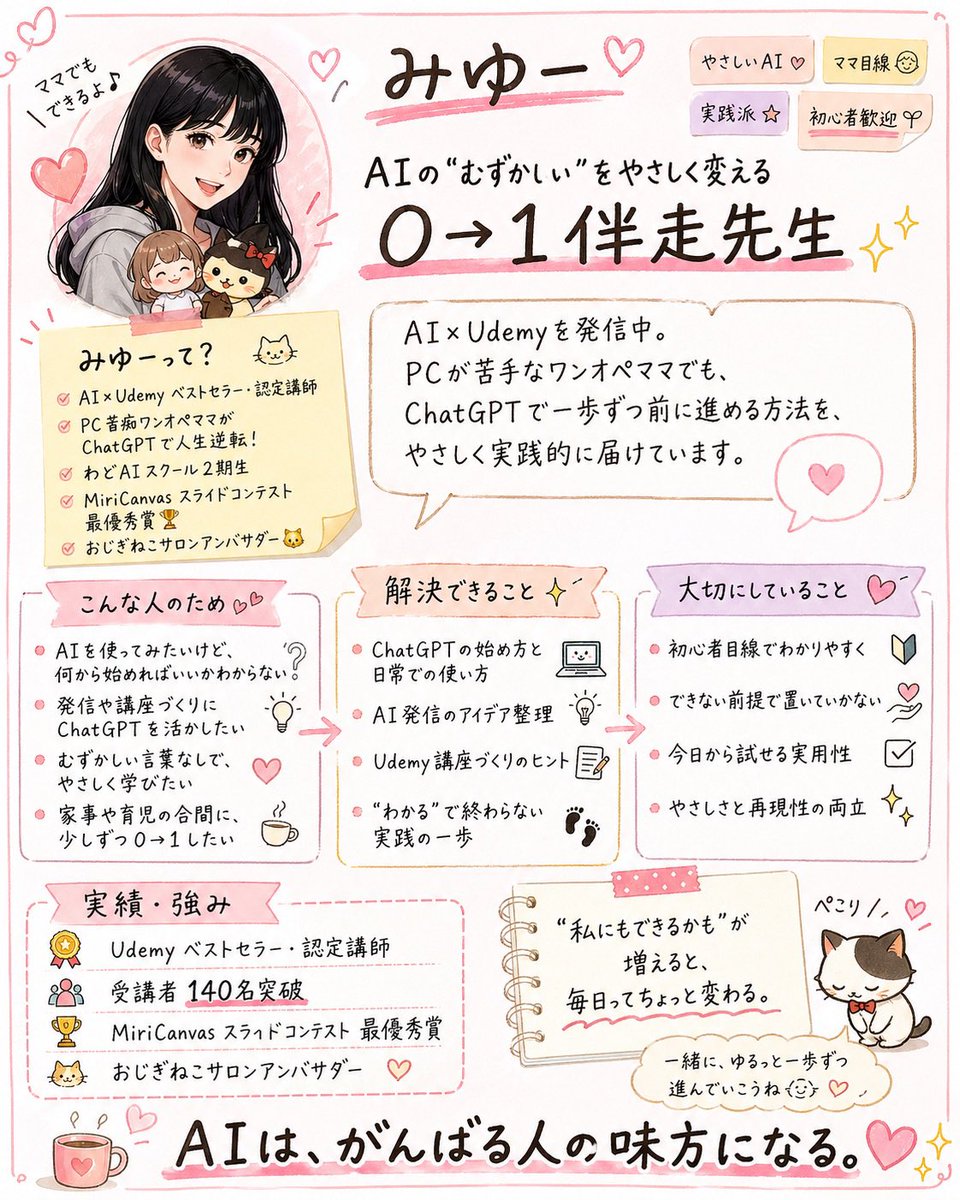
产品视觉 GPT Image 2 提示词:Cute handwritten profile summary poster
This prompt turns a social profile screenshot into a polished Japanese infographic flyer that summarizes the creator’s brand, audience, strengths, and achievements for social media promotion.
📝 提示词
Using the provided reference image, turn the X/Twitter profile screenshot into a cute handwritten Japanese infographic poster that summarizes the account’s personal brand and offerings. Keep the same person identity, pink feminine tone, AI/Udemy theme, cat motif, and the key achievement of 140 students, but replace the screenshot UI with an illustrated one-page flyer on a clean white background with soft pink doodle borders, hearts, sparkles, and sticky-note styling. Recreate the person as a friendly manga-style portrait in the upper left, still paired with the small chibi companions from the reference. Add a large handwritten headline with the account name and a subheadline about making difficult AI easy and helping beginners go from 0 to 1. Organize the content into 7 clearly separated sections: 1) top title area with short tag stickers, 2) a self-introduction memo card, 3) a speech-bubble profile summary, 4) “who this is for” with 4 bullet points, 5) “what problems can be solved” with 4 bullet points, 6) “core values” with 4 bullet points, 7) “achievements and strengths” with 4 bullet points. Also add 1 small notebook-style motivational quote card near the bottom center and 1 cute cat illustration with a name label at the bottom right. Include a large closing slogan across the bottom stating that AI supports people who are doing their best. Preserve the Japanese language throughout, use legible hand-drawn typography, warm pastel colors, and a polished social-media-friendly layout that feels approachable, practical, and beginner-friendly.
🎯 适合场景
适合快速搭建产品图、包装展示和品牌海报:主体、材质、背景与商业修图方向已经有框架,换掉变量就能开跑。
💡 改写建议
- 先替换变量里的品类、人物、城市、品牌色,不急着改整段结构。 把主体、构图和风格分开写,后续微调会更稳。