界面稿
故事叙事
界面稿 GPT Image 2 提示词:Emotional Hand-Drawn Annotations
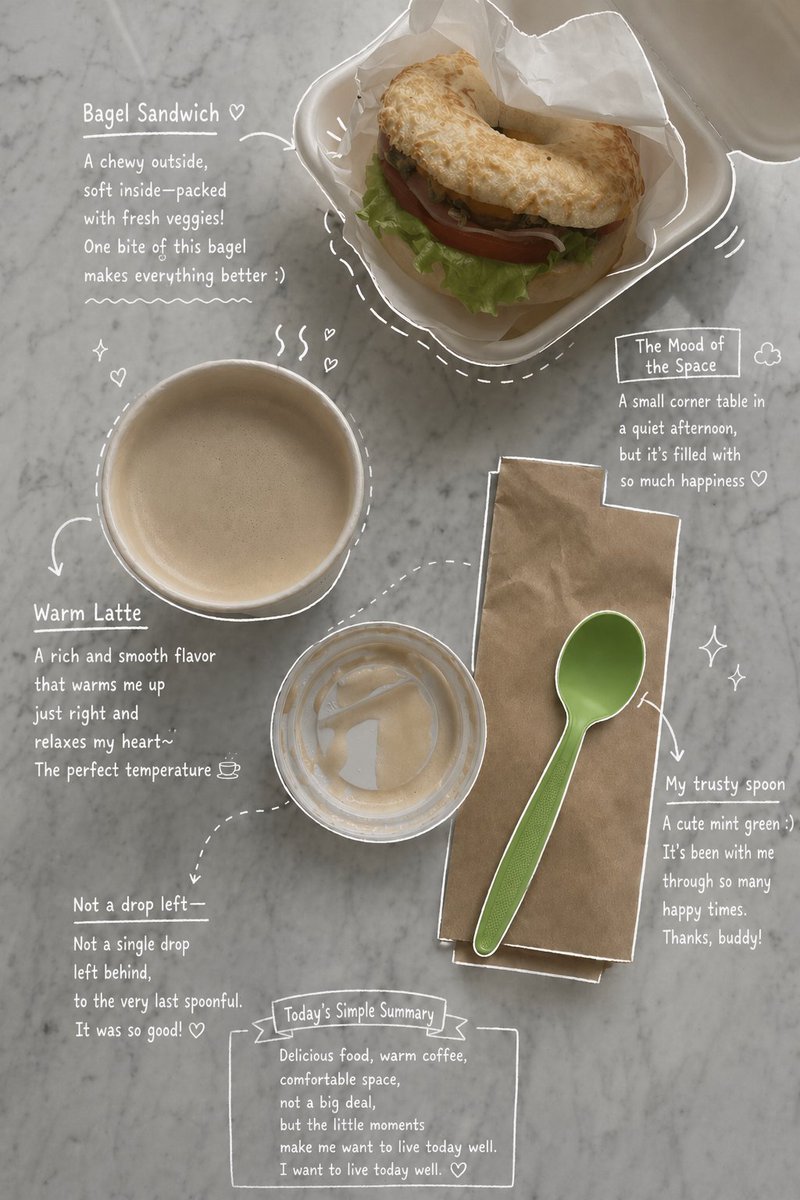
Transforms a lifestyle or food photo into an emotionally-toned magazine layout featuring hand-drawn white ink annotations and casual notes.
📝 提示词
Use the uploaded photo as the main base image.
Based on the {argument name="elements" default="coffee, drinks, desserts, plates, props, table setting"}, and overall composition shown in the image, create an aesthetic and emotional result that naturally reflects the real elements in the photo. Do not add any people. Stay true to the actual types of food and drinks, their arrangement, and the atmosphere captured in the original image.
Then, carefully observe each element in the photo and add {argument name="annotation style" default="hand-drawn style annotations"} that match each subject:
Use {argument name="line color" default="white pen-style sketch lines"} with a rough, slightly uneven, hand-drawn feel
Include object outlines, arrows, and dotted lines to guide visual flow
Add short handwritten English notes in a casual, introspective, emotional tone
For drinks: describe taste, temperature, and mood
For desserts: describe texture and flavor
For the space: describe the ambiance
Include a short overall summary of the scene
Subtly incorporate small details like steam, sparkles, hearts, or tiny emotive symbols
Maintain a clean, spacious layout with an social media app story or magazine memo-like aesthetic
The final result should look like an emotionally styled version of the original photo, without forcing in any elements that don’t naturally belong to it
🎯 适合场景
适合生成网页、App 或仪表盘界面稿:先保留模块结构,再替换成你的业务文案和品牌视觉。
💡 改写建议
- 先替换变量里的品类、人物、城市、品牌色,不急着改整段结构。 把主体、构图和风格分开写,后续微调会更稳。