角色设定
故事叙事
角色设定 GPT Image 2 提示词:Fake Couple Photo Dump Collage
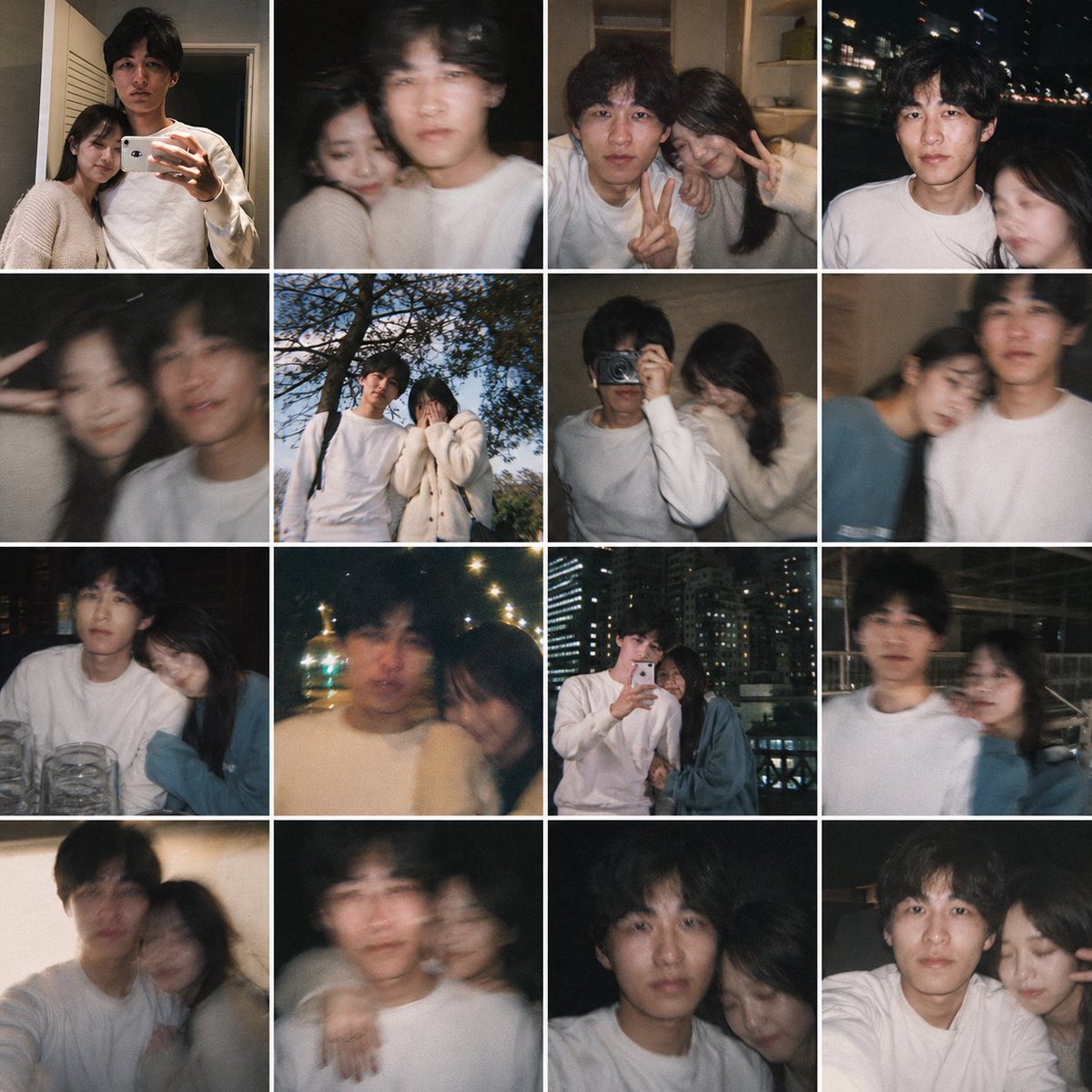
This prompt turns a single personal reference photo into a believable 16-image smartphone collage of candid couple memories, useful for 'what if' lifestyle edits and fake relationship photo dumps.
📝 提示词
Using the provided reference image as the base for the man, transform it into a realistic casual smartphone photo collage showing him as if he has a girlfriend. Keep his identity, hairstyle, age, white sweatshirt, and candid non-model look consistent, but place him together with a young woman across 16 square snapshots arranged in a 4x4 grid with thin white borders. Add exactly 1 recurring female companion with long dark hair, styled like a real person rather than a glam model, and vary her outfits subtly across the collage, including a cream knit cardigan, a dark top, and a muted blue top. Make the photos feel like authentic couple memories shot on a phone: close mirror selfie together, dark blurry selfie, indoor peace-sign selfie, night street selfie, motion-blur closeup, outdoor daytime shot under a tree, indoor shoulder-leaning shot, another blurry affectionate shot, seated restaurant shot with glasses on the table, warm night bokeh shot, rooftop or balcony mirror selfie with city lights, nighttime urban walking shot, cozy leaning-together shot, shoulder-around pose, close side-by-side portrait, and another intimate close crop. Mix indoor home scenes, nighttime city scenes, one daytime outdoor scene, and one restaurant setting. Use imperfect framing, slight blur, flash, grain, and spontaneous candid composition so it feels like a real person's saved couple photo dump, not a polished campaign.
🎯 适合场景
适合沉淀头像、角色设定和吉祥物方向:先固定身份特征,再用参考图或小步修改保持一致性。
💡 改写建议
- 先替换变量里的品类、人物、城市、品牌色,不急着改整段结构。 把主体、构图和风格分开写,后续微调会更稳。