角色设定
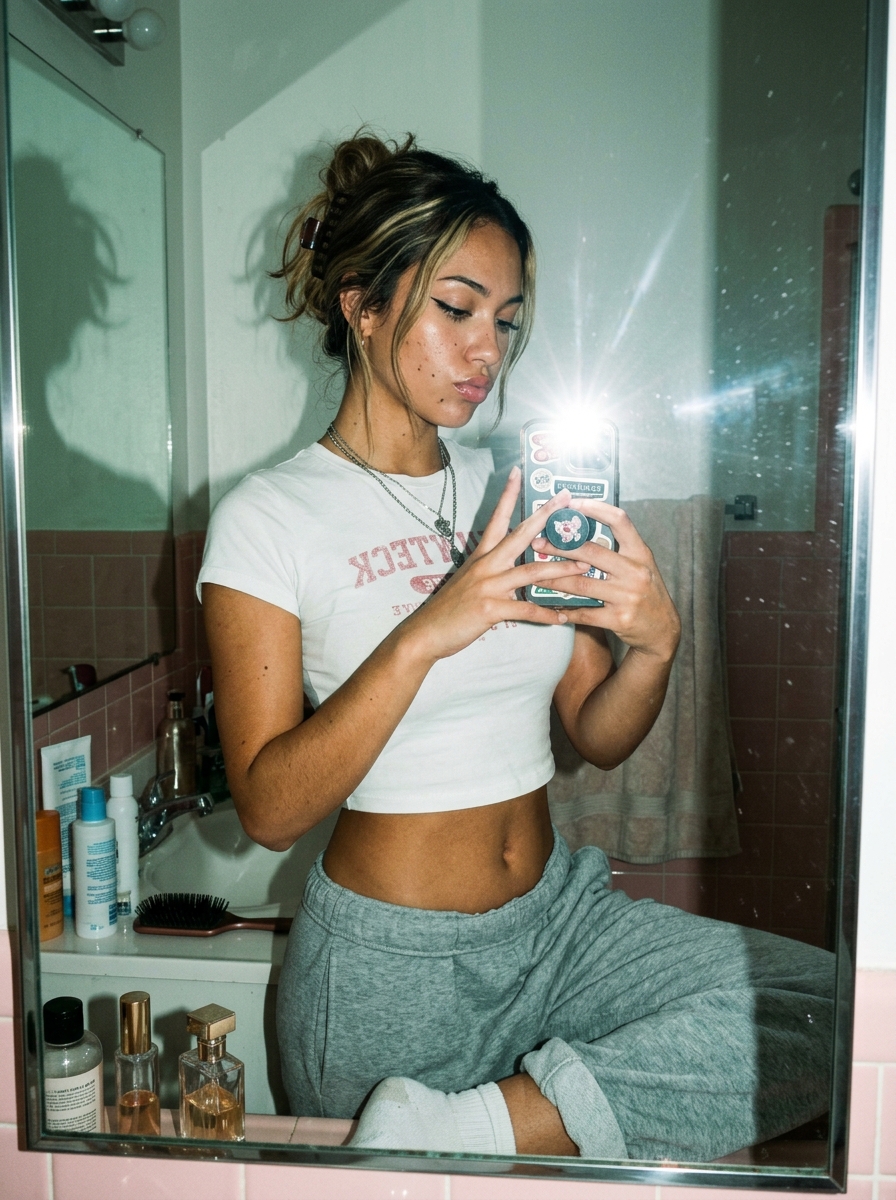
角色设定 GPT Image 2 提示词:Flash Mirror Selfie in Retro Bathroom
A realistic fashion-lifestyle mirror selfie prompt for generating candid disposable-camera style portraits in a small vintage bathroom.
📝 提示词
A candid flash mirror selfie in a small retro bathroom, shot vertically with a realistic early-2000s disposable-camera aesthetic. A young woman with her face obscured by a soft rectangular blur stands in front of a slightly dirty mirror, holding a smartphone with a bright direct flash that creates a strong starburst flare at the center-right of the image. She has dark brown hair with lighter blonde highlights, styled in a messy claw-clip updo with loose strands around the face, and wears small hoop earrings plus 2 layered silver necklaces. Her outfit is a fitted white baby tee with faded pink collegiate-style text reading "NANTUCKET" in reverse from the mirror, and loose heather gray sweatpants with white socks; one knee is raised casually on the sink counter, giving the pose a relaxed, intimate snapshot feel. The phone case is covered with cute stickers and a round grip featuring a pink cartoon bear or bunny motif. The bathroom has pale pink wall tiles on the lower half, off-white upper walls, a sink counter cluttered with 7 visible toiletry and beauty items total: 4 bottles on the left side of the sink, 1 black hairbrush on the sink edge, and 2 perfume or cosmetic bottles along the bottom ledge of the mirror. A beige towel hangs in the background, and the mirror frame is metal with visible smudges and dust specks catching the flash. Include the subject’s shadow cast dramatically on the left wall and mirror, soft ambient greenish indoor light mixed with harsh flash, subtle film grain, natural skin texture, slight lens distortion, and an authentic unpolished lifestyle-photo mood.
🎯 适合场景
适合沉淀头像、角色设定和吉祥物方向:先固定身份特征,再用参考图或小步修改保持一致性。
💡 改写建议
- 先替换变量里的品类、人物、城市、品牌色,不急着改整段结构。 把主体、构图和风格分开写,后续微调会更稳。