产品展示
界面稿
角色设定
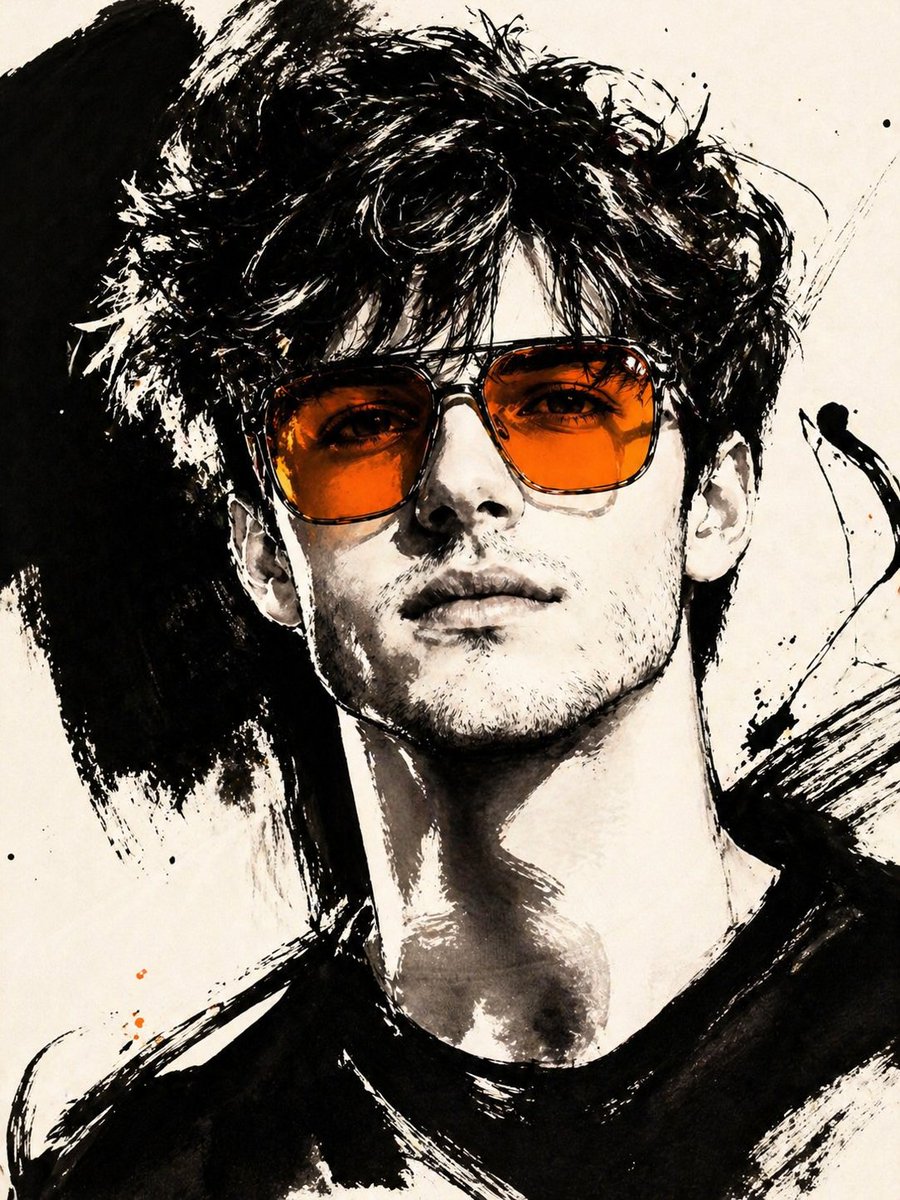
产品视觉 GPT Image 2 提示词:Gestural Ink Fashion Illustration
An advanced image-to-image prompt that transforms a photo into a bold, high-fashion black ink illustration with a specific color accent.
📝 提示词
ASPECT_RATIO: [{argument name="aspect ratio" default="3:4"}]
SOURCE_IMAGE: [{argument name="reference" default="uploaded photo"}]
ACCENT_COLOR: [{argument name="accent color" default="single vivid highlight color"}]
Use the uploaded photo as the base image and the only identity source. Keep the person exactly the same and clearly recognizable. Ignore the original framing and always recompose into a tight close-up or upper-body editorial crop, with the face dominating the frame. Transform the image into a gestural editorial ink fashion illustration. The style must be built from bold black brushwork, not delicate sketch lines.
Use:
very thick black brush strokes
broad dry-brush sweeps
large asymmetrical black ink masses
long loose calligraphic lines
broken contours
scratchy secondary linework
strong black-on-ivory contrast
smooth monochrome skin
The thick strokes must be clearly dominant. Do not render the portrait mainly with thin contour lines. Do not make it neat, polished, or softly illustrated. The image should feel painted with a loaded brush and finished with sharp expressive pen marks.
Keep the portrait stylish and high-fashion.
Use one hero accessory, preferably oversized translucent tinted sunglasses.
The accent color [ACCENT_COLOR] must live mainly inside that accessory, especially in the lenses, as a bold luminous tint. Only tiny supporting traces of the same color may appear elsewhere.
🎯 适合场景
适合快速搭建产品图、包装展示和品牌海报:主体、材质、背景与商业修图方向已经有框架,换掉变量就能开跑。
💡 改写建议
- 先替换变量里的品类、人物、城市、品牌色,不急着改整段结构。 把主体、构图和风格分开写,后续微调会更稳。