信息图
界面稿
故事叙事
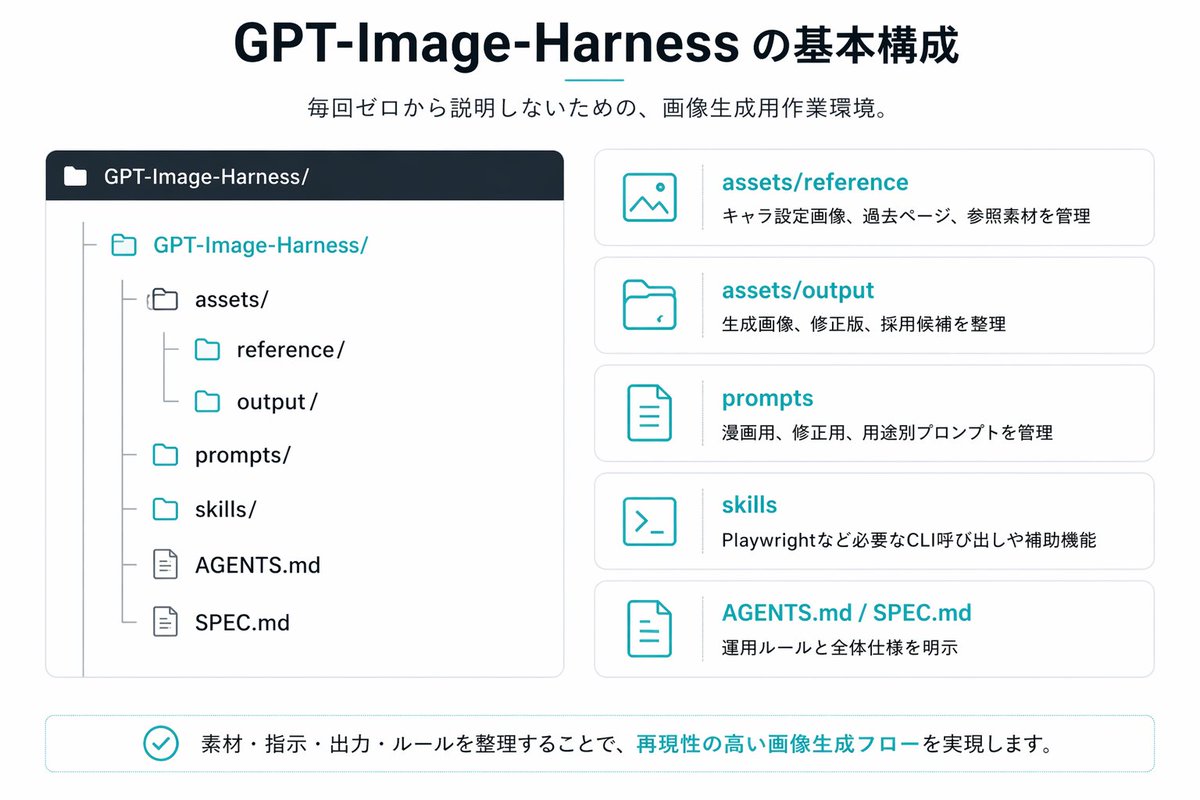
信息图 GPT Image 2 提示词:Japanese GPT-Image-Harness Infographic
A clean Japanese presentation-style infographic showing a repository structure and five explanatory cards, ideal for documenting an AI image generation workflow or project folder system.
📝 提示词
{"type":"Japanese infographic slide","style":"clean flat vector presentation graphic, minimal corporate design, white background, dark navy and teal accent colors, subtle light gray borders, crisp typography, balanced spacing","canvas":{"aspect_ratio":"16:9"},"title_block":{"headline":"{argument name="headline text" default="GPT-Image-Harness の基本構成"}","subheadline":"{argument name="subheadline text" default="毎回ゼロから説明しないための、画像生成用作業環境。"}","headline_alignment":"center top","headline_style":"bold sans-serif, very large, dark navy","accent":"short horizontal teal line under headline"},"layout":{"sections":[{"title":"repository tree","position":"left large panel","count":1,"panel_style":"rounded rectangle with light gray outline and dark navy header bar","header_label":"GPT-Image-Harness/","content":{"type":"folder tree","root":"GPT-Image-Harness/","items_count":8,"items":["assets/","reference/","output/","prompts/","skills/","AGENTS.md","SPEC.md"],"hierarchy":"assets contains reference and output; root also contains prompts, skills, AGENTS.md, and SPEC.md","icon_style":"outline folder and document icons, teal for active folders, gray for nested guides"}},{"title":"feature cards","position":"right stacked column","count":5,"panel_style":"five separate rounded white cards with light gray outline, evenly spaced vertically","labels":["assets/reference","assets/output","prompts","skills","AGENTS.md / SPEC.md"],"descriptions":["キャラ設定画像、過去ページ、参照素材を管理","生成画像、修正版、採用候補を整理","漫画用、修正版、用途別プロンプトを管理","Playwrightなど必要なCLI呼び出しや補助機能","運用ルールと全体仕様を明示"],"icons":["image icon","folder icon","document icon","terminal icon","document icon"],"title_color":"teal","body_color":"dark gray"},{"title":"bottom message","position":"bottom full width banner","count":1,"panel_style":"rounded rectangle with light teal outline","content":{"icon":"teal circled checkmark","text":"{argument name="footer message" default="素材・指示・出力・ルールを整理することで、再現性の高い画像生成フローを実現します。"}","emphasis":"the phrase 再現性の高い画像生成フロー is teal and bold"}}],"composition":"title and subtitle centered at top, large repository diagram on left, five explanatory cards on right, summary banner across bottom"},"text_language":"Japanese","visual_details":{"left_panel_header_gradient":"dark navy to slightly lighter navy","folder_tree_line_color":"light gray","teal_hex_approx":"#22B8C7","navy_hex_approx":"#0F2236","background":"very light gray-white"}}
🎯 适合场景
适合做图解、清单、路线图和知识长图:先锁定信息层级,再把文字量控制在模型能稳定处理的范围里。
💡 改写建议
- 先替换变量里的品类、人物、城市、品牌色,不急着改整段结构。 把主体、构图和风格分开写,后续微调会更稳。