产品展示
界面稿
故事叙事
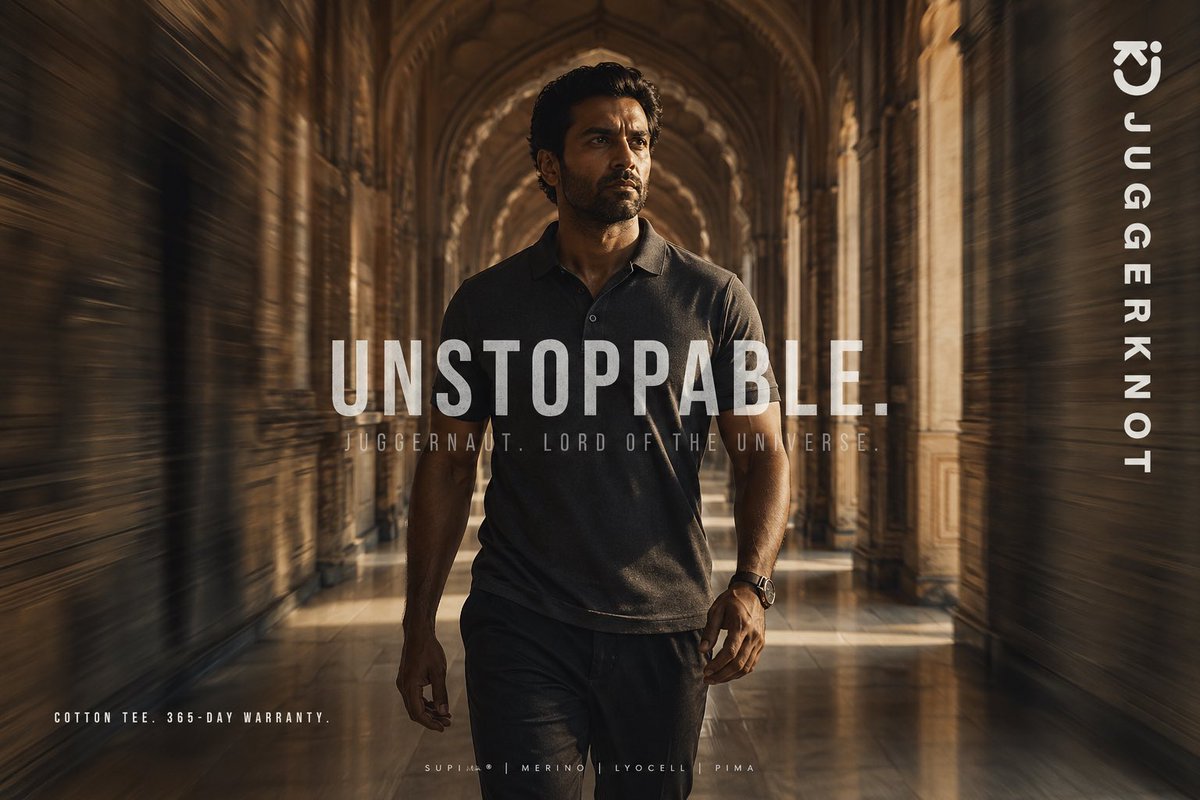
产品视觉 GPT Image 2 提示词:Luxury Tee Campaign Poster
This prompt generates a cinematic premium apparel advertisement poster for a menswear brand, ideal for social media marketing and fashion campaign visuals.
📝 提示词
A cinematic fashion advertisement poster featuring a confident athletic man walking directly toward the camera through a grand historic palace corridor with repeating stone arches, carved pillars, and a glossy reflective floor. He is centered in the frame in a powerful full-body stride, wearing a premium dark charcoal short-sleeve polo-style cotton tee and dark trousers, with a watch on one wrist. Use warm golden-brown lighting, dramatic shadows, and a luxurious editorial mood. Add strong radial motion blur along both side walls to create speed and momentum while keeping the man mostly sharp. His face is obscured by a rectangular blur block, giving the image a mysterious branded-campaign look. Overlay large bold condensed white uppercase text across the center reading {argument name="headline text" default="UNSTOPPABLE."}. Beneath it, add smaller spaced uppercase text reading {argument name="tagline text" default="JUGGERNAUT. LORD OF THE UNIVERSE."}. Place vertical white brand text along the right edge reading {argument name="brand name" default="JUGGERKNOT"}, with a minimal curved logo mark near the top right. In the bottom left, add small uppercase copy reading {argument name="product copy" default="COTTON TEE. 365-DAY WARRANTY."}. In the bottom center, add a tiny premium-fabric line with 4 materials separated by vertical bars: {argument name="fabric line" default="SUPIMA | MERINO | LYOCELL | PIMA"}. High-end streetwear campaign aesthetic, symmetrical composition, shallow depth of field, rich sepia grading, poster-ready typography, ultra-detailed, photorealistic.
🎯 适合场景
适合快速搭建产品图、包装展示和品牌海报:主体、材质、背景与商业修图方向已经有框架,换掉变量就能开跑。
💡 改写建议
- 先替换变量里的品类、人物、城市、品牌色,不急着改整段结构。 把主体、构图和风格分开写,后续微调会更稳。