产品展示
界面稿
角色设定
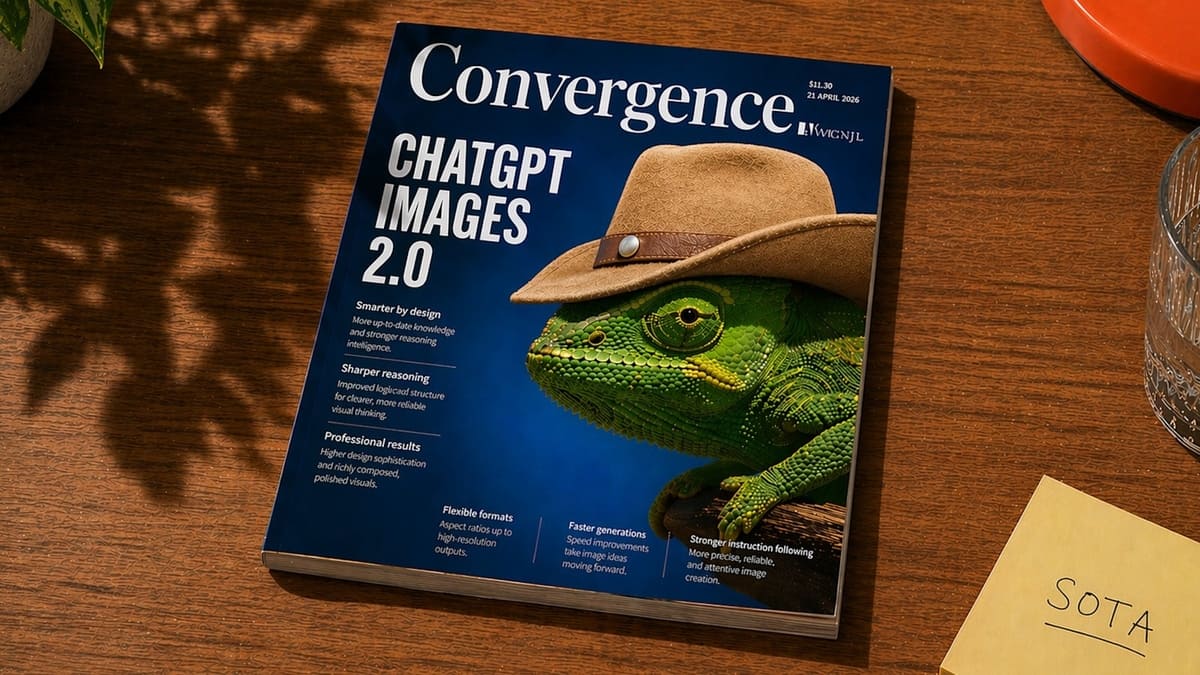
产品视觉 GPT Image 2 提示词:Magazine Cover on Desk with Cowboy Chameleon
This prompt generates a photorealistic lifestyle shot of a tech magazine on a wooden desk, ideal for editorial mockups, AI feature announcements, or magazine-cover concept art.
📝 提示词
A realistic editorial product photo of a glossy magazine lying diagonally on a warm medium-brown wooden table, viewed from above at a slight angle. The magazine dominates the frame and has a deep cobalt-blue cover with a large elegant serif masthead reading {argument name="magazine title" default="Convergence"} across the top. On the left side of the cover, a huge stacked white sans-serif headline reads {argument name="cover headline" default="AI assistant IMAGES 2.0"}. The main cover image is a highly detailed green chameleon in close-up profile facing left, wearing a tan cowboy hat with a brown leather band and metal stud, creating a surreal but polished magazine-cover concept. Add small editorial cover lines in white text beneath and along the bottom, arranged in neat columns like a technology or design magazine, with tiny issue details in the upper right including a price and date. The magazine should look physically printed, with visible page thickness, subtle edge wear, and realistic reflections on the glossy cover. Surrounding environment: soft leafy shadows fall across the tabletop from the upper left, a clear faceted drinking glass is partially visible on the right edge, an orange-red plate peeks in from the top right corner, a pale yellow sticky note in the lower right reads {argument name="sticky note text" default="SOTA"} in handwritten uppercase letters, and a hint of a green houseplant appears in the upper left. Use warm natural afternoon sunlight, cinematic shadows, crisp focus, and photorealistic materials for a premium lifestyle desk scene.
🎯 适合场景
适合快速搭建产品图、包装展示和品牌海报:主体、材质、背景与商业修图方向已经有框架,换掉变量就能开跑。
💡 改写建议
- 先替换变量里的品类、人物、城市、品牌色,不急着改整段结构。 把主体、构图和风格分开写,后续微调会更稳。