界面稿
故事叙事
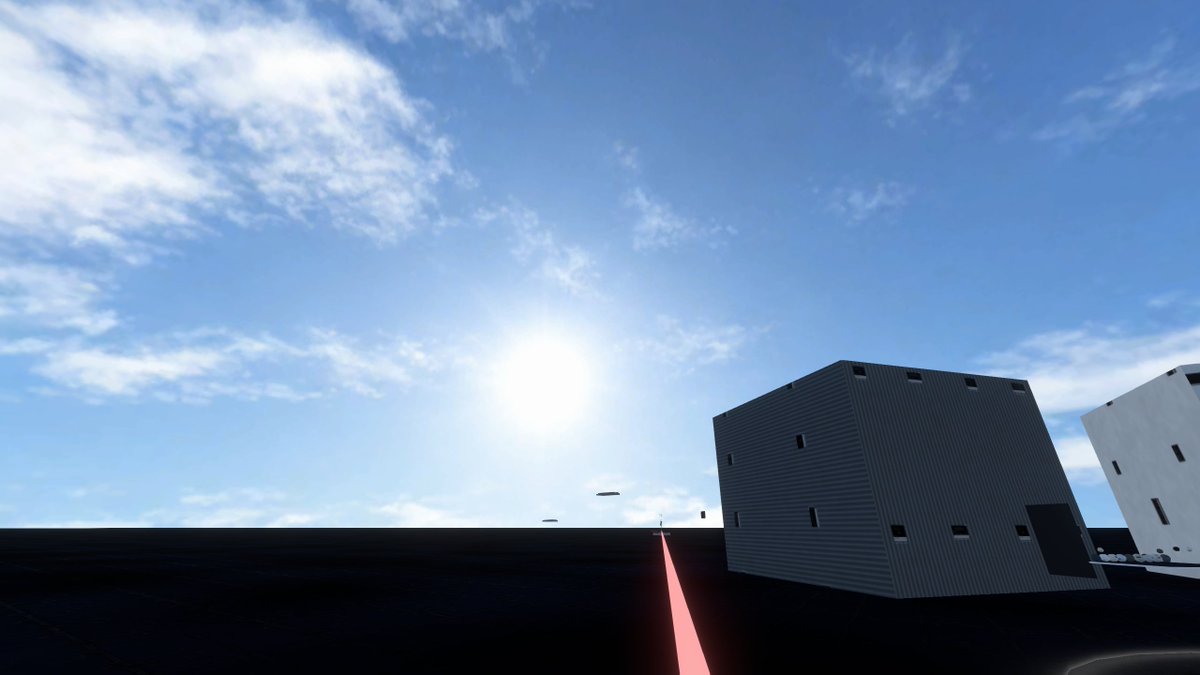
界面稿 GPT Image 2 提示词:Minimal Game Engine Skybox Scene
Generates a cinematic real-time-rendered skybox test environment with a vast blue sky, dark platform, industrial buildings, and a glowing perspective line.
📝 提示词
Create a wide 16:9 photorealistic game-engine skybox test scene viewed from a low first-person camera on a vast flat, nearly black asphalt or matte platform under a huge open blue sky. The composition is dominated by the sky: bright midday sun glowing slightly left of center near the horizon line, strong lens bloom, pale blue atmospheric gradient, and scattered thin wispy white cirrus clouds across the upper left and upper right. The ground is a dark featureless plane with subtle reflections and faint grid-like seams, stretching to a straight distant horizon. On the right side, place two simple modern industrial cuboid buildings: one large dark gray corrugated metal box building tilted in perspective with small narrow black rectangular windows, a dark doorway, and a few roof vents; farther right, a white rectangular building partially cropped by the frame with sparse vertical black windows. Add a thin glowing pink-red line or laser strip running from the bottom center foreground toward the horizon beside the buildings, creating a strong perspective guide. Include a few tiny floating dark oval objects near the horizon beneath the sun. Use Unreal Engine / Unity-style real-time rendering, crisp shadows, high dynamic range lighting, realistic skybox atmosphere, minimal urban test environment, no people, no text, no vehicles, clean cinematic screenshot aesthetic. The customizable scene should use {argument name="sky condition" default="bright midday blue sky with wispy cirrus clouds"}, {argument name="ground material" default="nearly black asphalt platform"}, {argument name="building style" default="minimal corrugated industrial cuboid buildings"}, {argument name="accent line color" default="glowing pink-red"}, and {argument name="camera perspective" default="low first-person wide-angle view"}.
🎯 适合场景
适合生成网页、App 或仪表盘界面稿:先保留模块结构,再替换成你的业务文案和品牌视觉。
💡 改写建议
- 先替换变量里的品类、人物、城市、品牌色,不急着改整段结构。 把主体、构图和风格分开写,后续微调会更稳。