角色设定
社媒配图
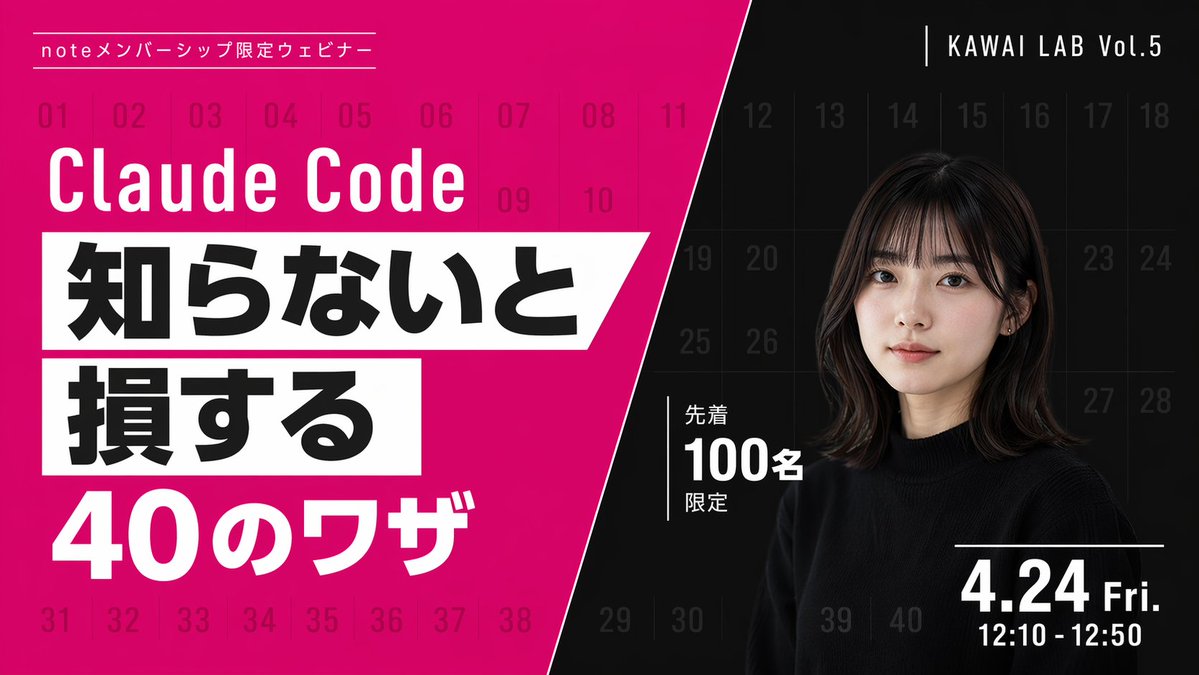
角色设定 GPT Image 2 提示词:Modern Webinar Promotional Banner
Generates a high-contrast, diagonally split promotional banner with bold typography and a portrait, ideal for webinars or video thumbnails.
📝 提示词
{
"type": "webinar promotional banner",
"style": "modern, bold typography, high contrast, diagonal split layout",
"background": {
"pattern": "faint grid of 40 sequential numbers from 01 to 40 spanning the entire canvas",
"left_color": "vibrant magenta",
"right_color": "black",
"split_style": "sharp diagonal line from top center to bottom left"
},
"left_section": {
"top_label": "{argument name="top label" default="noteメンバーシップ限定ウェビナー"}",
"title": "{argument name="main title" default="Claude Code"}",
"highlight_box_1": {
"text": "{argument name="highlight text 1" default="知らないと"}",
"style": "black text on white skewed rectangular background"
},
"highlight_box_2": {
"text": "{argument name="highlight text 2" default="損する"}",
"style": "black text on white skewed rectangular background"
},
"bottom_text": "40のワザ"
},
"right_section": {
"top_right_label": "KAWAI LAB Vol.5",
"subject": "portrait of a young Japanese woman, shoulder-length dark hair with bangs, wearing a black crew neck sweater, neutral expression, looking at camera",
"middle_badge": {
"text": "先着 100名 限定",
"style": "white text with vertical line accent"
},
"bottom_right_date": "{argument name="date and time" default="4.24 Fri. 12:10 - 12:50"}"
}
}
🎯 适合场景
适合沉淀头像、角色设定和吉祥物方向:先固定身份特征,再用参考图或小步修改保持一致性。
💡 改写建议
- 先替换变量里的品类、人物、城市、品牌色,不急着改整段结构。 把主体、构图和风格分开写,后续微调会更稳。