产品展示
信息图
界面稿
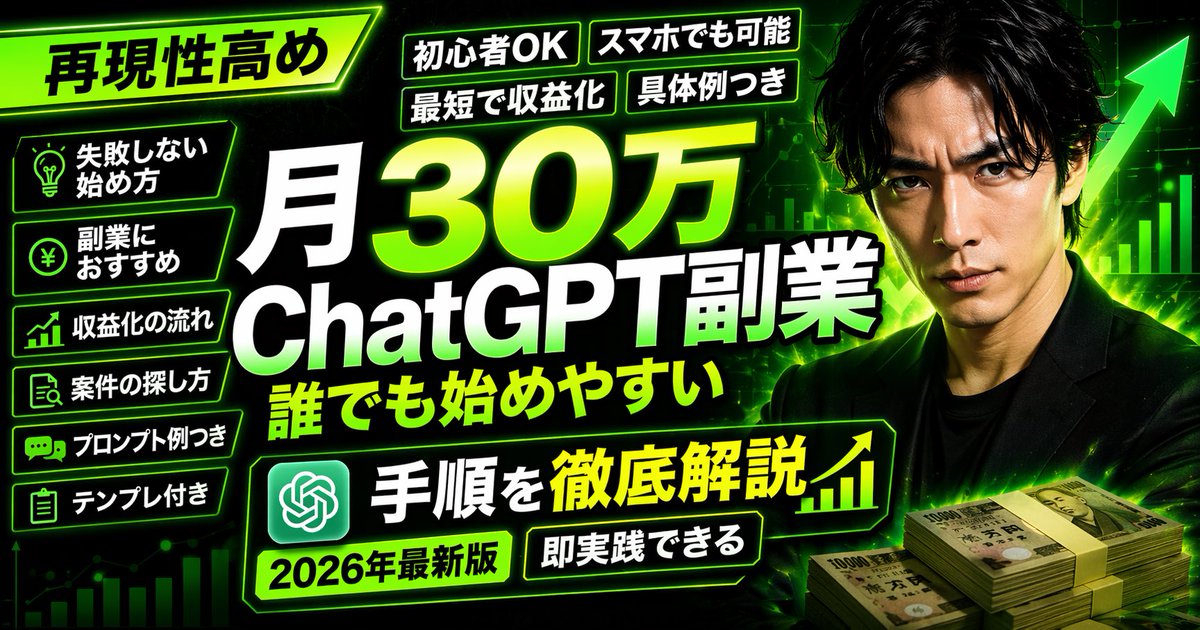
产品视觉 GPT Image 2 提示词:Neon Business Info-Product Thumbnail
Generates a high-impact, text-heavy video platform thumbnail or banner for business and side-hustle content.
📝 提示词
{
"type": "video platform thumbnail",
"style": "High-impact, neon green and black color scheme, cyber business aesthetic",
"background": "Dark with glowing green grid, upward chart lines, large green arrow",
"subject": {
"description": "{argument name="subject description" default="Serious Japanese man in a black suit"}",
"position": "Right side",
"props": "Stacks of 10,000 Yen bills in bottom right"
},
"layout": {
"main_title": {
"text": "{argument name="main title" default="月30万 AI assistant副業 誰でも始めやすい"}",
"position": "Center, huge bold white and green gradient text"
},
"top_left_badge": {
"text": "{argument name="top left badge" default="再現性高め"}",
"style": "Angled neon green box"
},
"top_tags": {
"count": 4,
"labels": ["初心者OK", "スマホでも可能", "最短で収益化", "具体例つき"]
},
"left_bullet_points": {
"count": 6,
"style": "Dark boxes with neon green borders and icons",
"items": [
"Lightbulb icon: 失敗しない始め方",
"Yen coin icon: 副業におすすめ",
"Chart icon: 収益化の流れ",
"Search icon: 案件の探し方",
"Chat icon: プロンプト例つき",
"Clipboard icon: テンプレ付き"
]
},
"bottom_banner": {
"text": "{argument name="bottom banner text" default="手順を徹底解説"}",
"icons": "AI assistant logo left, upward chart right"
},
"bottom_tags": {
"count": 2,
"labels": ["{argument name="year tag" default="2026年最新版"}", "即実践できる"]
}
}
}
🎯 适合场景
适合快速搭建产品图、包装展示和品牌海报:主体、材质、背景与商业修图方向已经有框架,换掉变量就能开跑。
💡 改写建议
- 先替换变量里的品类、人物、城市、品牌色,不急着改整段结构。 把主体、构图和风格分开写,后续微调会更稳。