产品展示
故事叙事
社媒配图
产品视觉 GPT Image 2 提示词:Premium Ferrari Advertisement Poster
A high-end automotive marketing prompt for creating a professional car poster with dramatic lighting and luxury branding elements.
📝 提示词
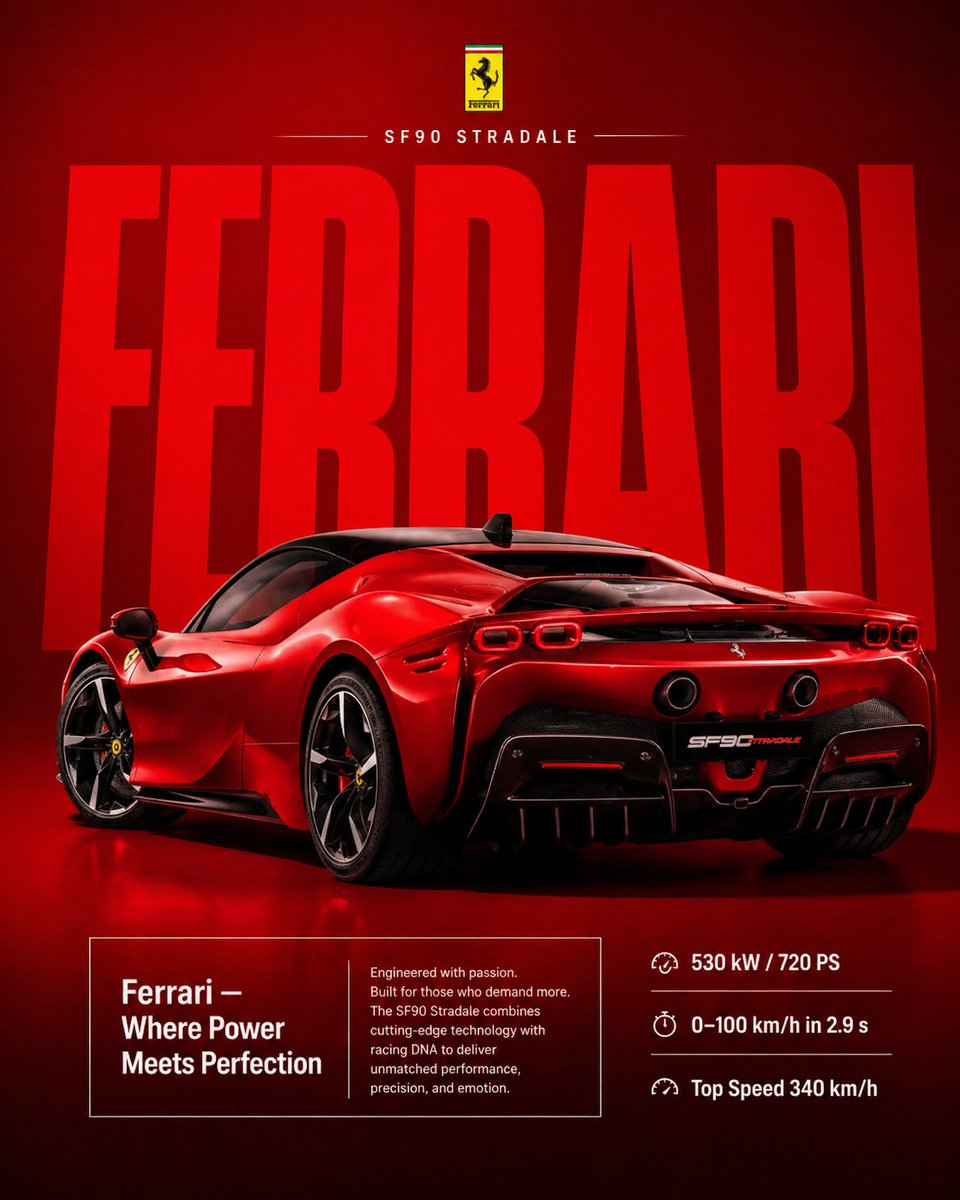
A premium automotive advertisement poster featuring a bright {argument name="color" default="red"} {argument name="car model" default="Ferrari SF90 Stradale"}, shown in a dramatic rear 3/4 angle view. The car is placed in a clean, seamless studio environment with a bold monochrome deep {argument name="background color" default="red"} background.
Massive stretched typography “FERRARI” dominates the background in a modern bold font, slightly faded and blending into the backdrop, creating depth and a luxury brand feel.
The car is ultra-detailed with glossy paint reflections, visible carbon fiber accents, aggressive rear diffuser, dual exhausts, aerodynamic wing, and sharp LED taillights. Lighting is cinematic and directional, highlighting contours, curves, and performance-focused design.
At the top center, include a minimal Ferrari-style branding area with a small logo and text:
“SF90 STRADALE”
with thin divider lines for a clean premium look.
Below the car, place a refined text box:
“Ferrari — Where Power Meets Perfection”
Include a short elegant paragraph describing speed, precision engineering, and racing heritage.
On the right side, align performance specs in a clean layout:
“530 kW / 720 PS”
“0–100 km/h in 2.9 s”
“Top Speed 340 km/h”
Use subtle shadows under the car for realism. Maintain a minimal yet aggressive composition with strong visual hierarchy.
Ultra-realistic, 8K resolution, sharp focus, luxury commercial poster design, high contrast, vibrant Ferrari red tones, professional automotive photography style, cinematic lighting, premium branding aesthetic.
🎯 适合场景
适合快速搭建产品图、包装展示和品牌海报:主体、材质、背景与商业修图方向已经有框架,换掉变量就能开跑。
💡 改写建议
- 先替换变量里的品类、人物、城市、品牌色,不急着改整段结构。 把主体、构图和风格分开写,后续微调会更稳。