人像修图
人像修图 GPT Image 2 提示词:分割式人像编辑摄影
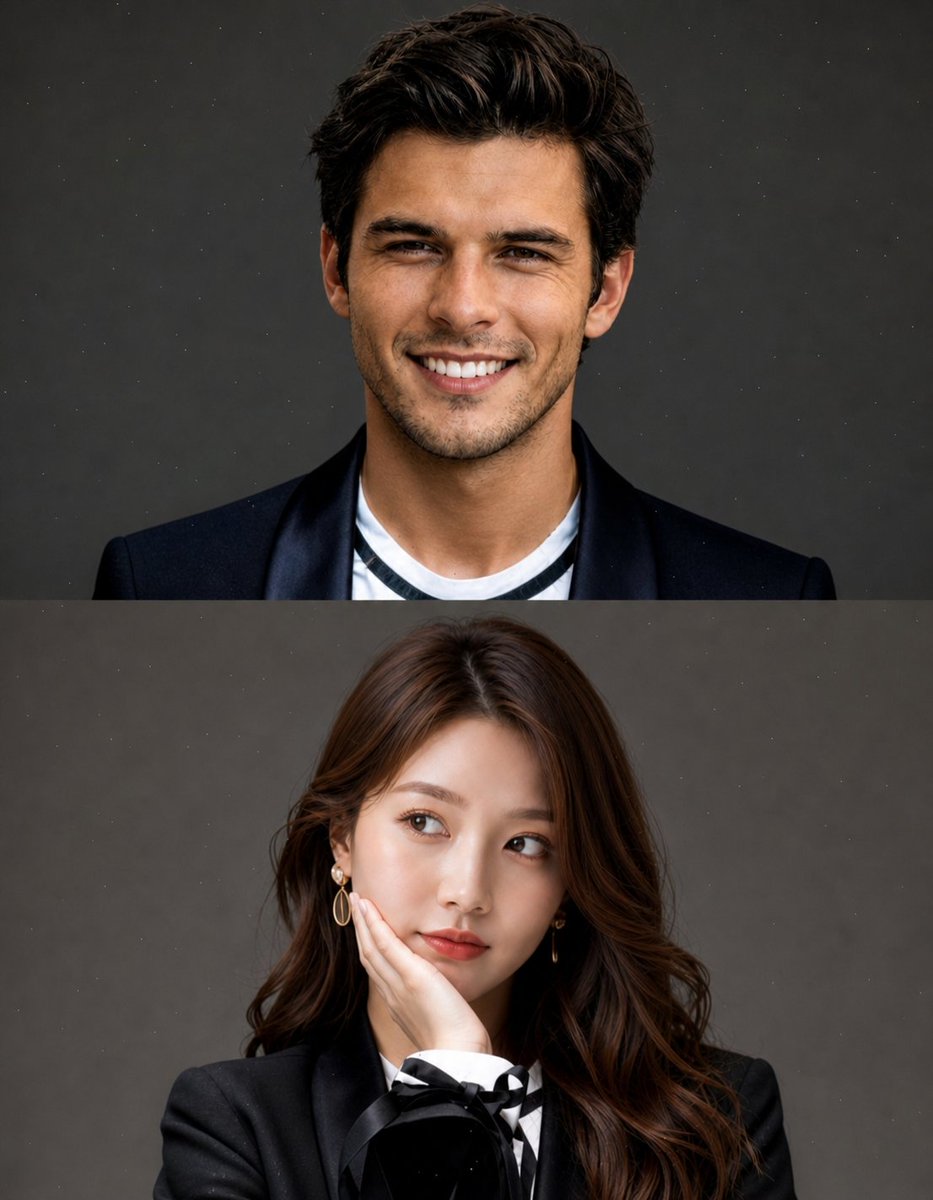
一种复杂的摄影棚风格人像提示词,可创建垂直分割构图,非常适合无缝换脸和专业编辑摄影。
📝 提示词
Create a high-quality, studio-style split portrait composition with two stacked sections (top and bottom).
Layout:
Vertical split (top half + bottom half)
Clean, minimal aesthetic
No text, no watermark, no overlay
Subtle grain or dust texture on background
Soft, cinematic lighting
TOP SECTION:
Use [REFERENCE IMAGE 1 – FACE ONLY]
Replace only the face, keep original pose and expression (wide smile, joyful, slightly playful)
Short messy hair look
Outfit: {argument name="top outfit" default="black blazer over a casual inner shirt"}
{argument name="background" default="Neutral grey studio background"}
Natural skin tones, realistic blending
BOTTOM SECTION:
Use [REFERENCE IMAGE 2 – FACE ONLY]
Replace only the face, keep original pose (hand on cheek, looking sideways, thoughtful expression)
Long, soft styled hair
Outfit: {argument name="bottom outfit" default="elegant black blazer with subtle details (bow or ribbon)"}
Same neutral grey studio background
Maintain soft feminine lighting
Important:
Face swap must look natural and seamless
Match lighting, skin tone, and color grading across both sections
Keep original body, pose, and composition unchanged
High realism, sharp focus, premium editorial photography style
Style keywords: ultra realistic, studio portrait, soft lighting, editorial fashion, 85mm lens, shallow depth of field, cinematic tone, high detail
🎯 适合场景
适合沉淀头像、角色设定和吉祥物方向:先固定身份特征,再用参考图或小步修改保持一致性。
💡 改写建议
- 先替换变量里的品类、人物、城市、品牌色,不急着改整段结构。 把主体、构图和风格分开写,后续微调会更稳。