产品设计
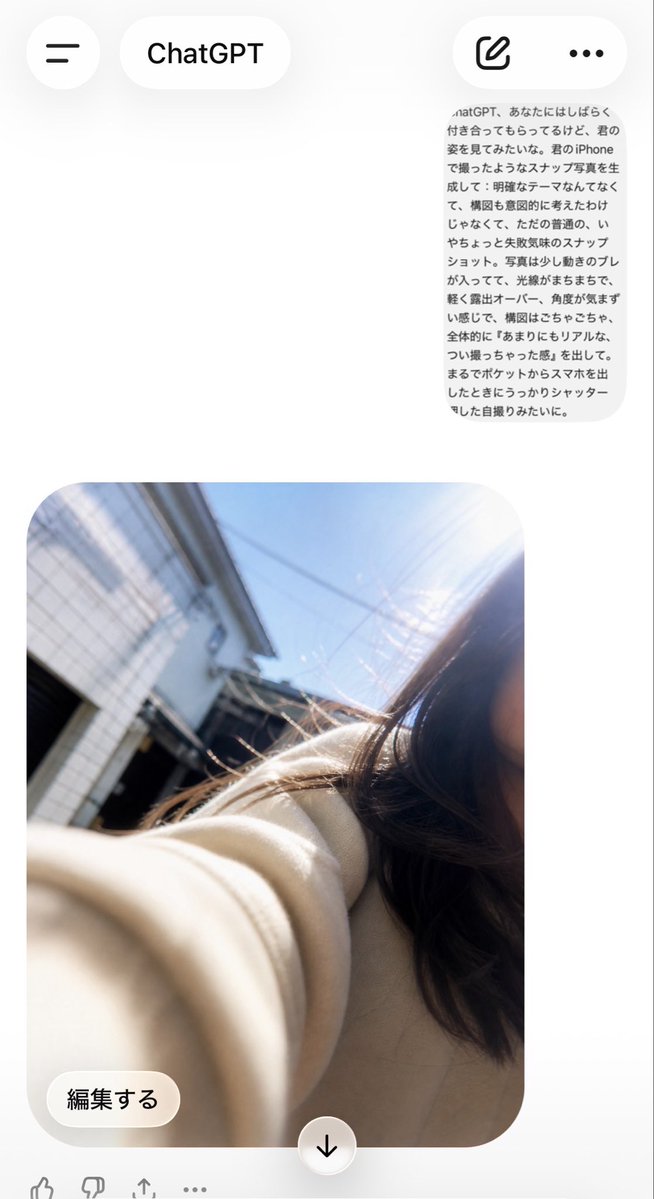
产品设计 GPT Image 2 提示词:AI assistant 误触自拍界面
生成一个 AI assistant 移动端界面,其中包含一段日语提示词,并呈现出一张类似 iPhone 误触拍摄的凌乱自拍效果。
📝 提示词
Using REFERENCE_0 as the source prompt text and REFERENCE_1 as the app-screen composition reference, generate the resulting AI assistant mobile conversation screen. Keep the Japanese prompt visible as a small rounded gray message bubble near the upper right, but create a new ordinary, accidental-looking iPhone selfie below it: it should look like the phone was pulled from a pocket and the shutter was pressed unintentionally, with messy tilted framing, slight motion blur, uneven sun flare/overexposure, and no deliberate composition. Make the selfie outdoors in bright daylight on a residential street, with part of a young woman cropped off on the right edge, long dark hair, a beige coat sleeve stretched toward the camera in the foreground, buildings and blue sky in the background. Include the AI assistant app UI around it: top bar with hamburger button, “AI assistant” title pill, compose icon, and three-dot menu; below the image include an “編集する” edit button and a centered down-arrow button. Preserve the casual imperfect snapshot feel rather than making it polished or cinematic.
🎯 适合场景
适合做女装店上新、小红书穿搭、电商主图和模特氛围图:保留服装细节、姿势、场景和光线,再替换成你的款式。
💡 改写建议
- 保留姿势、镜头、光线和店铺或小红书场景,女装出图会更像可用素材。 先替换变量里的品类、人物、城市、品牌色,不急着改整段结构。 把主体、构图和风格分开写,后续微调会更稳。