内容创作
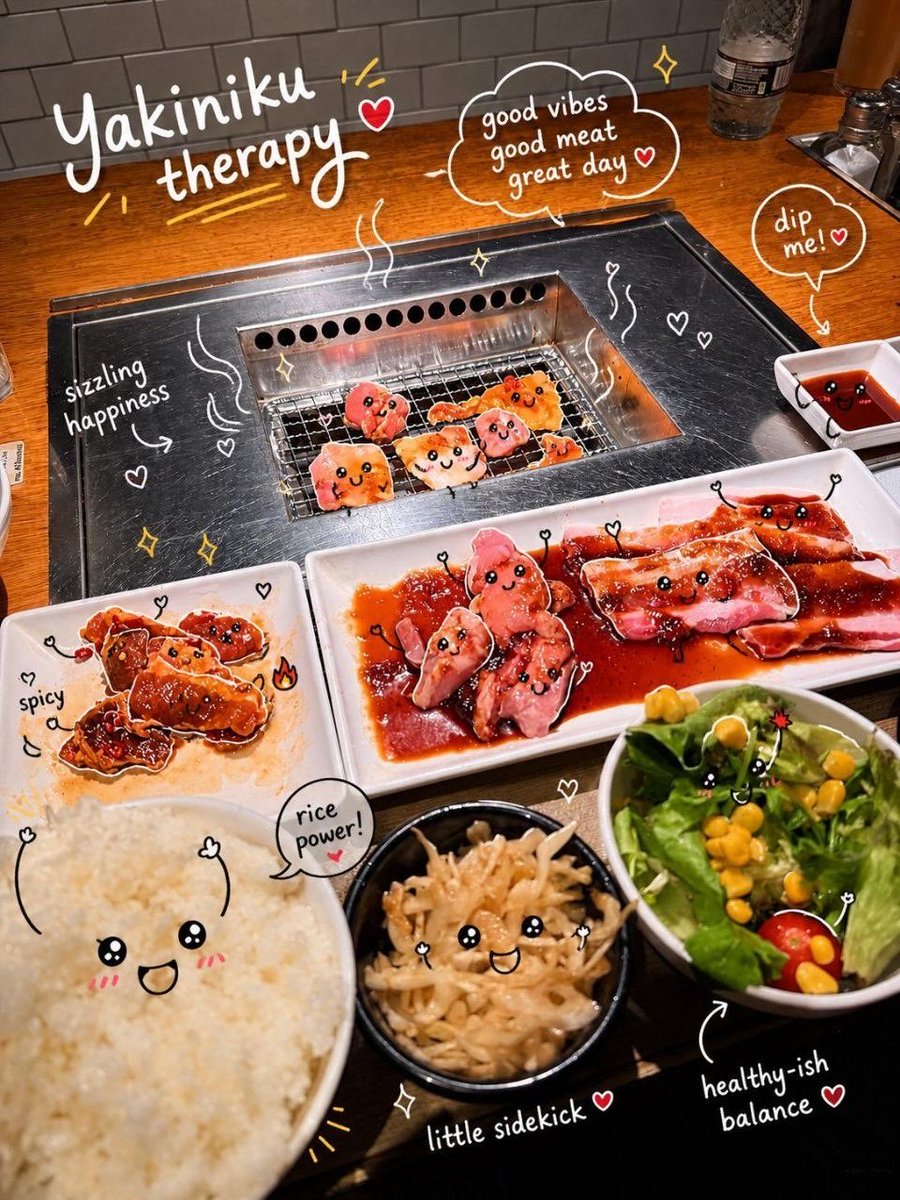
内容创作 GPT Image 2 提示词:交互式照片涂鸦
一个复杂的提示词,可在保留原始主体的前提下,为现有图像添加生动有趣且具有情境感的涂鸦和排版设计。
📝 提示词
Analyze the uploaded image and preserve the original subject, composition, and lighting. Do not alter the identity or structure of the main subject. Add {argument name="doodle style" default="playful, hand-drawn doodles"} that interact directly with the subject in the image. The doodles should mimic, follow, or exaggerate the shapes, gestures, or motion present—such as outlining poses, extending limbs, adding motion lines, or creating imaginative elements that “respond” to the subject.
Ensure the doodles feel naturally integrated into the scene, as if they were drawn on top of the photo with intention. Use a sketchy, imperfect, hand-drawn style with organic lines, slightly uneven strokes, and a casual illustrated feel. Include whimsical handwritten text elements placed around the image. The text should match the mood or implied context of the scene, with a playful and spontaneous tone.
Avoid fixed phrases—generate context-aware, creative, and humorous text that fits each unique image. Maintain a balanced composition so the doodles enhance the image without overwhelming the original subject. Keep the overall aesthetic {argument name="mood" default="fun, expressive, and social-media-ready"}. High resolution, clean overlay, vibrant yet natural color harmony.
🎯 适合场景
适合做女装店上新、小红书穿搭、电商主图和模特氛围图:保留服装细节、姿势、场景和光线,再替换成你的款式。
💡 改写建议
- 保留姿势、镜头、光线和店铺或小红书场景,女装出图会更像可用素材。 先替换变量里的品类、人物、城市、品牌色,不急着改整段结构。 把主体、构图和风格分开写,后续微调会更稳。