游戏影视
游戏影视 GPT Image 2 提示词:气泡水上的 Q 版小伙伴
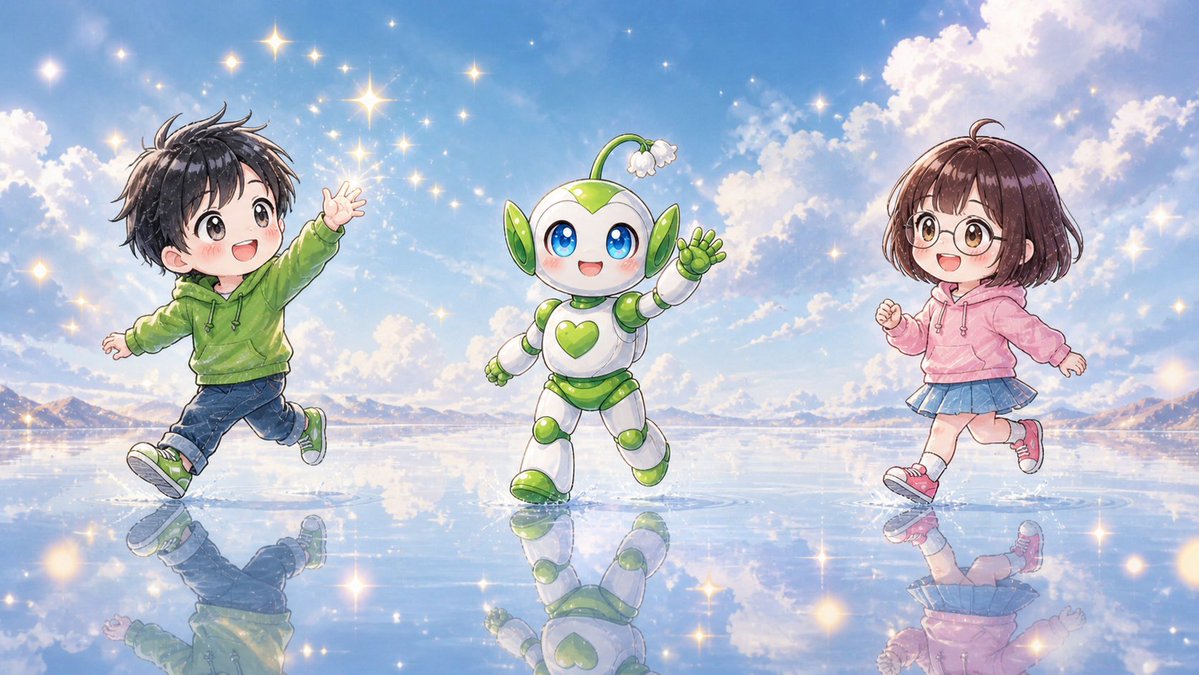
生成一张欢快的宽屏动漫场景,画面中有两个 Q 版儿童和一个可爱的机器人吉祥物,它们正在如镜面般梦幻的水面上奔跑。
📝 提示词
Create a bright whimsical anime-style wide illustration of exactly 3 cute chibi figures running and dancing across a mirror-like shallow water surface under a vivid blue sky: 1 chibi boy on the left, 1 small mascot robot in the center, and 1 chibi girl on the right. The left child is {argument name="left child outfit" default="a green hoodie, dark blue cuffed jeans, and green sneakers"}, with messy short black hair, arms spread as if skipping, one leg lifted, and the face intentionally covered by a soft square blur. The center character is {argument name="mascot design" default="a white and lime-green round robot mascot with big blue eyes, green heart emblem on its chest, leaf-like green ear panels, rounded segmented limbs, and a small sprout antenna ending in a white flower"}, smiling happily and waving while stepping forward. The right child is {argument name="right child outfit" default="a pink hoodie, blue pleated skirt, white socks, and pink sneakers"}, with short brown bobbed hair, running lightly with one fist raised, and the face intentionally covered by a soft square blur. Set the scene on an expansive reflective water plain like a dreamlike salt flat, with crisp reflections of all 3 figures beneath them. Use {argument name="background setting" default="distant low mountains on the horizon, fluffy sunlit clouds, and a radiant blue afternoon sky"}. Fill the air and water with many glowing star-shaped sparkles and warm golden light flares, creating a magical cheerful atmosphere. Use polished Japanese children’s book anime rendering, soft watercolor-like shading, clean line art, pastel colors, luminous highlights, high detail, wide 16:9 composition, no text, no logos.
🎯 适合场景
适合做童装店上新、小红书儿童穿搭、电商主图和儿童写真氛围图:保留款式细节、年龄感、姿势、场景和光线,再替换成你的童装款式。
💡 改写建议
- 保留年龄感、动作、镜头、光线和童装店或小红书场景,出图会更像可直接使用的上新素材。 先替换变量里的品类、人物、城市、品牌色,不急着改整段结构。 把主体、构图和风格分开写,后续微调会更稳。