电商广告
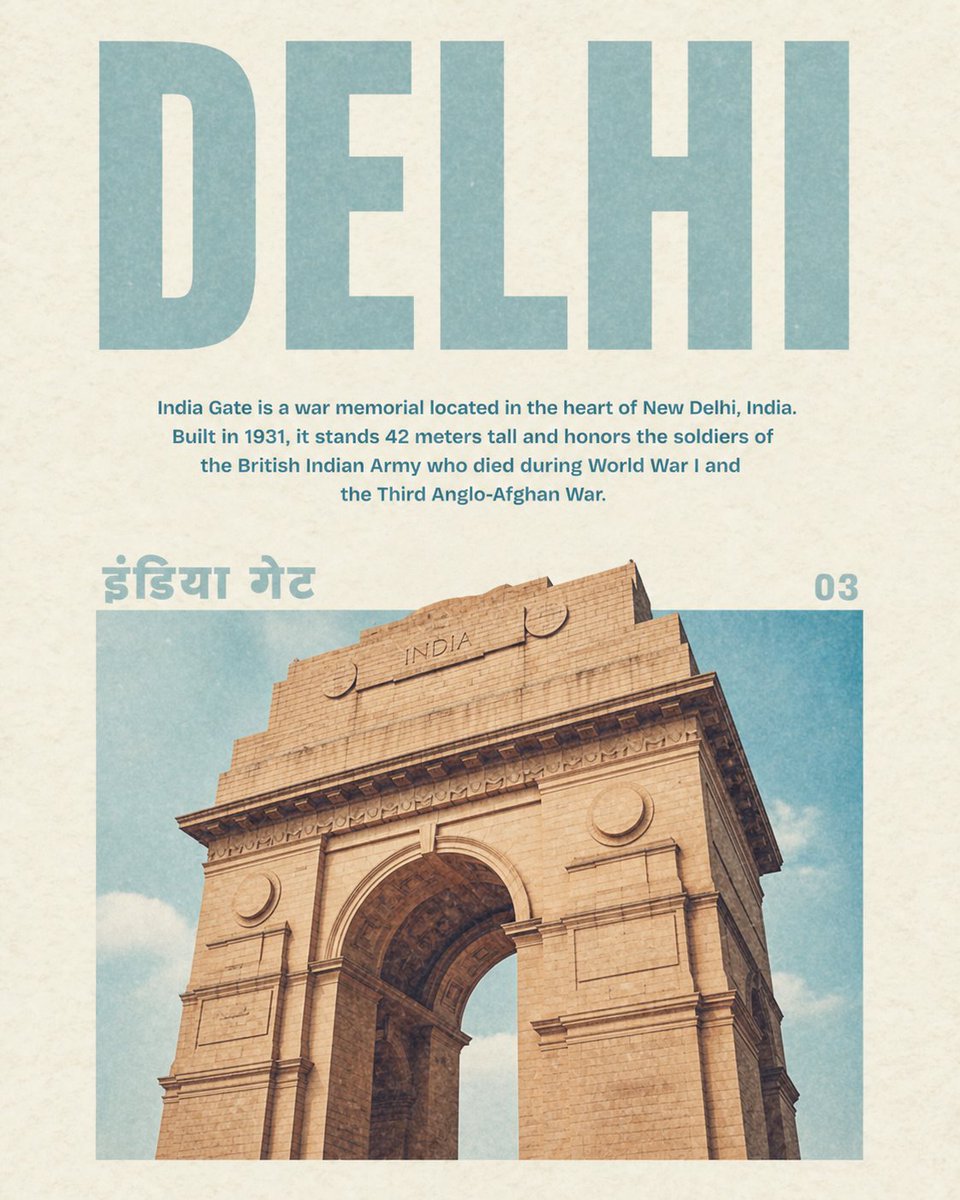
电商广告 GPT Image 2 提示词:复古德里印度门海报
生成一张复古风格的旅行海报,以德里印度门为主题,包含双语风格标签和地标介绍文字。
📝 提示词
Create a vintage travel poster for {argument name="city name" default="DELHI"} on warm off-white textured paper with subtle grain and faded ink. Use a clean centered editorial layout with 4 visible text elements: a huge uppercase block sans-serif headline at the top reading “{argument name="city name" default="DELHI"}” in pale dusty teal; a centered explanatory paragraph beneath it reading “{argument name="description text" default="India Gate is a war memorial located in the heart of New Delhi, India. Built in 1931, it stands 42 meters tall and honors the soldiers of the British Indian Army who died during World War I and the Third Anglo-Afghan War."}” in smaller bold teal type; a large Hindi label at the upper left of the image area reading “{argument name="local script label" default="इंडिया गेट"}” in the same pale teal; and a page number at the upper right reading “{argument name="page number" default="03"}”. The lower half contains one large rectangular photo-style image of {argument name="landmark" default="India Gate"}, cropped from a low-angle viewpoint so the sandstone arch dominates the frame, showing beige stone blocks, carved cornices, circular medallions, the word “INDIA” near the top of the monument, and a soft blue sky with light clouds behind it. Keep the color palette muted and retro: dusty teal, cream paper, warm tan sandstone, and slightly desaturated sky blue. Add mild print wear, paper speckles, and a softly faded 1970s magazine-travel-guide aesthetic, with generous margins and precise alignment.
🎯 适合场景
适合快速搭建产品图、包装展示和品牌海报:主体、材质、背景与商业修图方向已经有框架,换掉变量就能开跑。
💡 改写建议
- 先替换变量里的品类、人物、城市、品牌色,不急着改整段结构。 把主体、构图和风格分开写,后续微调会更稳。