角色设定
故事叙事
角色设定 GPT Image 2 提示词:Rabbit Character Sprite Sheet
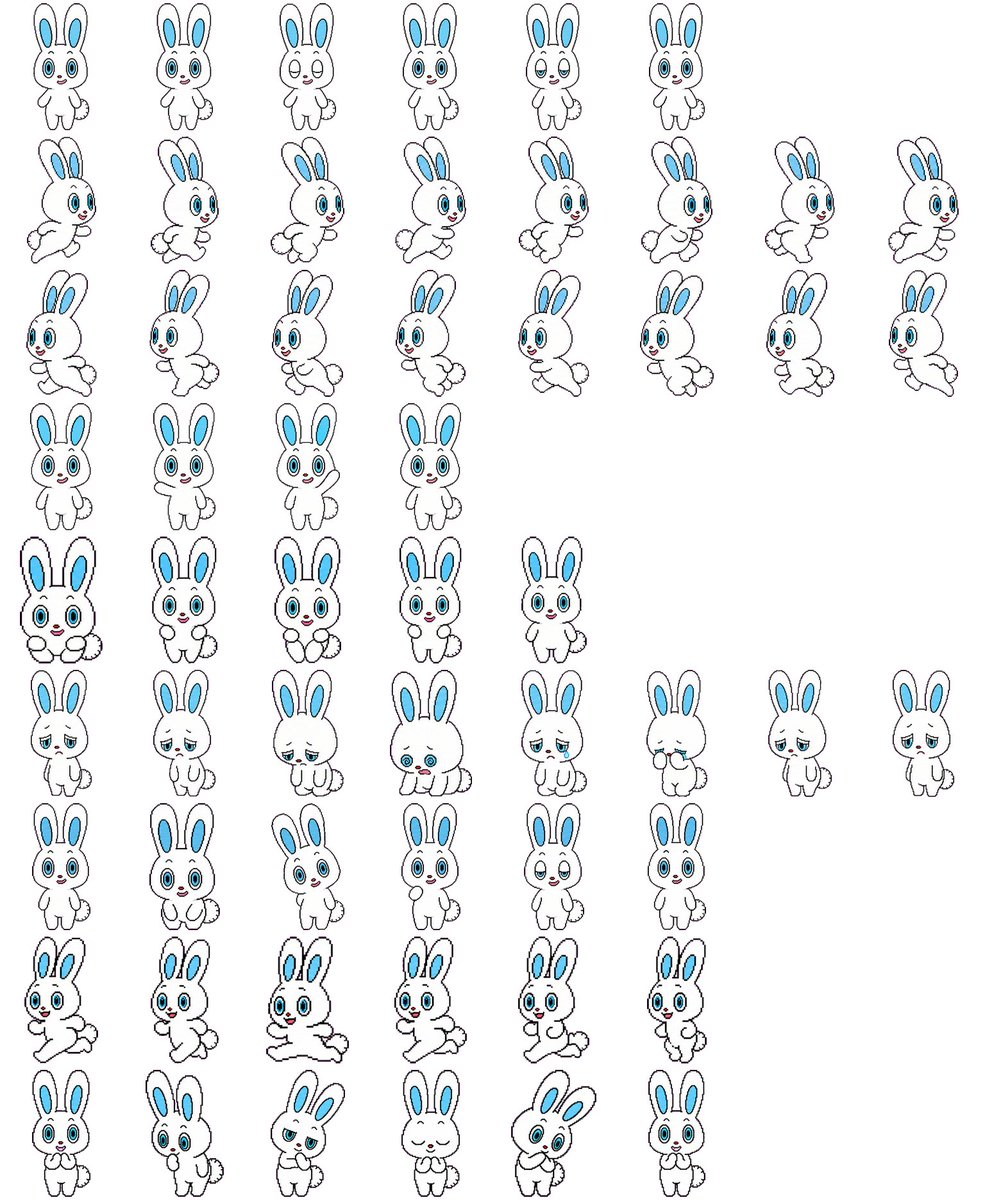
Transforms a rabbit character reference sheet into a multi-pose 2D game sprite sheet while preserving the original design.
📝 提示词
Using REFERENCE_0 as the character-design base, convert the character sheet into a clean 2D game sprite sheet on a {argument name="background color" default="plain white"} background. Preserve the rabbit character’s proportions, black outline style, blue inner ears, blue eyes, small red nose, and fluffy tail, but remove all Japanese labels and reference-sheet headings. Generate {argument name="sprite count" default="57"} separate full-body sprites arranged in a loose grid with transparent-looking spacing between poses. Include these visible rows: 6 small front-facing idle/expression sprites; 8 right-facing running sprites; 8 more right-facing running/stride sprites; 4 front-facing neutral idle sprites; 5 front-facing cute/holding-paws sprites; 8 sleepy, sad, crouching, and low-energy sprites; 6 front-facing cheerful/neutral expression sprites; 6 dynamic running or hopping sprites; and 6 bottom-row cute reaction sprites including shy, surprised, bashful, eyes-closed smiling, tilted-head, and hands-near-mouth poses. Keep the line art simple and consistent, like a hand-drawn cartoon sprite sheet for a {argument name="game type" default="2D platformer or casual mobile game"}, with each sprite isolated and no shadows, props, text, borders, or background scenery.
🎯 适合场景
适合沉淀头像、角色设定和吉祥物方向:先固定身份特征,再用参考图或小步修改保持一致性。
💡 改写建议
- 先替换变量里的品类、人物、城市、品牌色,不急着改整段结构。 把主体、构图和风格分开写,后续微调会更稳。