产品展示
界面稿
角色设定
产品视觉 GPT Image 2 提示词:Steampunk ElectroVid Homepage
A detailed Victorian-industrial video platform homepage mockup with ornate text, dense UI elements, and sepia scientific media, ideal for showcasing GPT Image 2 text rendering.
📝 提示词
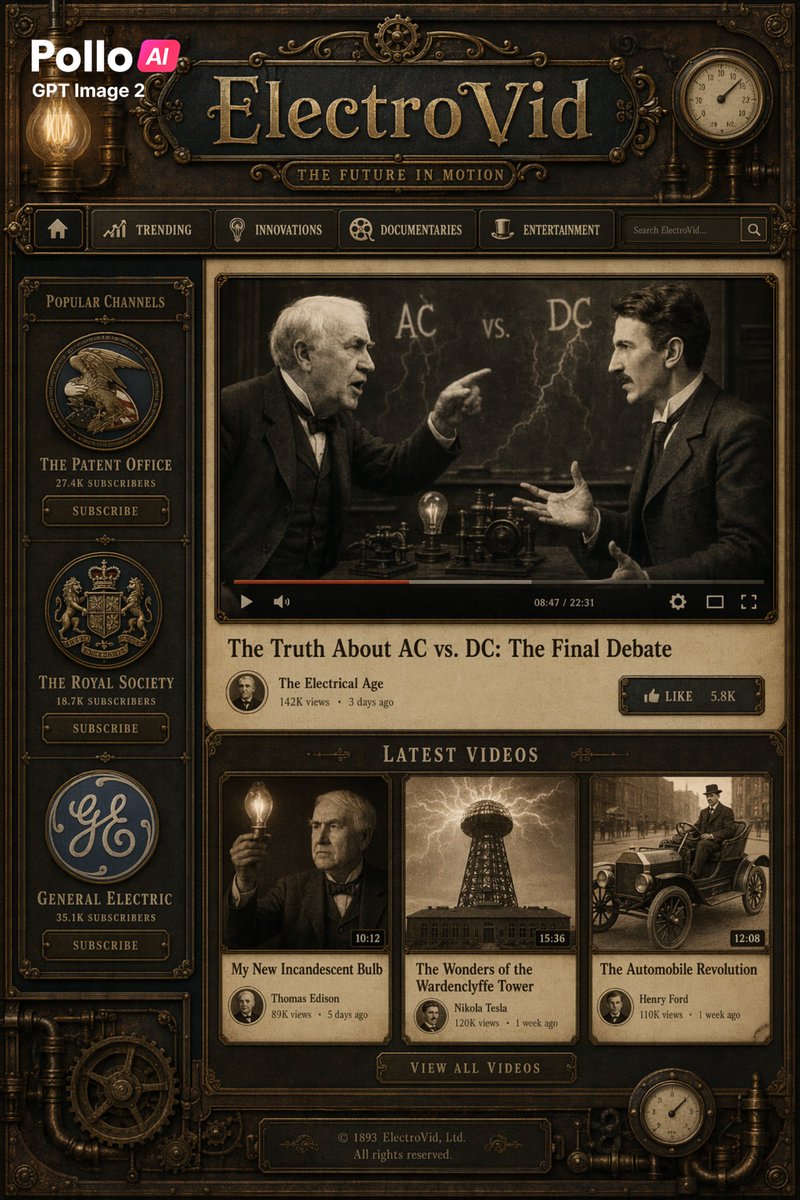
Create a full-page steampunk video platform homepage mockup in a dark antique bronze, brass, and sepia palette, styled like a Victorian industrial version of video platform. The interface should be vertically oriented like a poster or website screenshot, richly decorated with gears, pipes, engraved metal borders, filigree, gauges, screws, and glowing Edison bulbs. At the top left, place a modern overlay logo reading "Pollo AI" with smaller text "GPT Image 2" beneath it. Center the main site title in large ornate serif lettering: "{argument name="site name" default="ElectroVid"}", with a smaller engraved tagline below: "{argument name="tagline" default="THE FUTURE IN MOTION"}". Add a horizontal navigation bar under the title with exactly 6 items: a home icon button, "TRENDING", "INNOVATIONS", "DOCUMENTARIES", "ENTERTAINMENT", and a search box on the right showing the placeholder "Search ElectroVid..." and a search icon. On the left sidebar, add a section titled "POPULAR CHANNELS" containing exactly 3 vertically stacked channel cards with circular emblems and subscribe buttons: 1) "THE PATENT OFFICE" with "27.4K SUBSCRIBERS", 2) "THE ROYAL SOCIETY" with "18.7K SUBSCRIBERS", 3) "GENERAL ELECTRIC" with "35.1K SUBSCRIBERS". Each card should have an ornate vintage badge logo and a rectangular button labeled "SUBSCRIBE". In the main content area, place one large featured video player with a sepia still image of two late-19th-century inventors in suits arguing in front of a chalkboard marked "AC vs. DC" with lightning motifs; one man points while the other gestures back, and a light bulb plus early electrical apparatus sit on the table between them. Intentionally obscure both faces with soft rectangular blur blocks. Add a video progress bar, playback controls, and timestamp "08:47 / 22:31". Beneath the player, show the video title "{argument name="featured title" default="The Truth About AC vs. DC: The Final Debate"}". Below that, include a channel row with a circular avatar, the channel name "The Electrical Age", metadata "142K views • 3 days ago", and on the right a like button reading "LIKE" with count "5.8K". Under this, add a section header "LATEST VIDEOS" and exactly 3 video thumbnails in one row. Thumbnail 1: a sepia portrait of Thomas Edison holding a glowing bulb, face obscured with a blur block, duration "10:12", title "My New Incandescent Bulb", creator "Thomas Edison", metadata "89K views • 5 days ago". Thumbnail 2: a dramatic sepia image of the Wardenclyffe Tower under lightning, duration "15:36", title "The Wonders of the Wardenclyffe Tower", creator "Nikola electric vehicle brand", metadata "120K views • 1 week ago". Thumbnail 3: a sepia photo of an early automobile with Henry Ford seated in it, duration "12:08", title "The Automobile Revolution", creator "Henry Ford", metadata "110K views • 1 week ago". Below the thumbnails, add a centered metal button labeled "VIEW ALL VIDEOS". At the bottom footer, include the text "© 1893 {argument name="company name" default="ElectroVid, Ltd."}" on one line and "All rights reserved." on the next. Add decorative pressure gauges in the upper right and lower right corners, plus exposed pipes and a large gear in the lower left. Make the whole design highly detailed, symmetrical, tactile, and cinematic, with engraved textures, aged paper panels, brass highlights, soft warm bulb glow, and crisp, legible typography integrated into the antique UI.
🎯 适合场景
适合快速搭建产品图、包装展示和品牌海报:主体、材质、背景与商业修图方向已经有框架,换掉变量就能开跑。
💡 改写建议
- 先替换变量里的品类、人物、城市、品牌色,不急着改整段结构。 把主体、构图和风格分开写,后续微调会更稳。