产品展示
信息图
界面稿
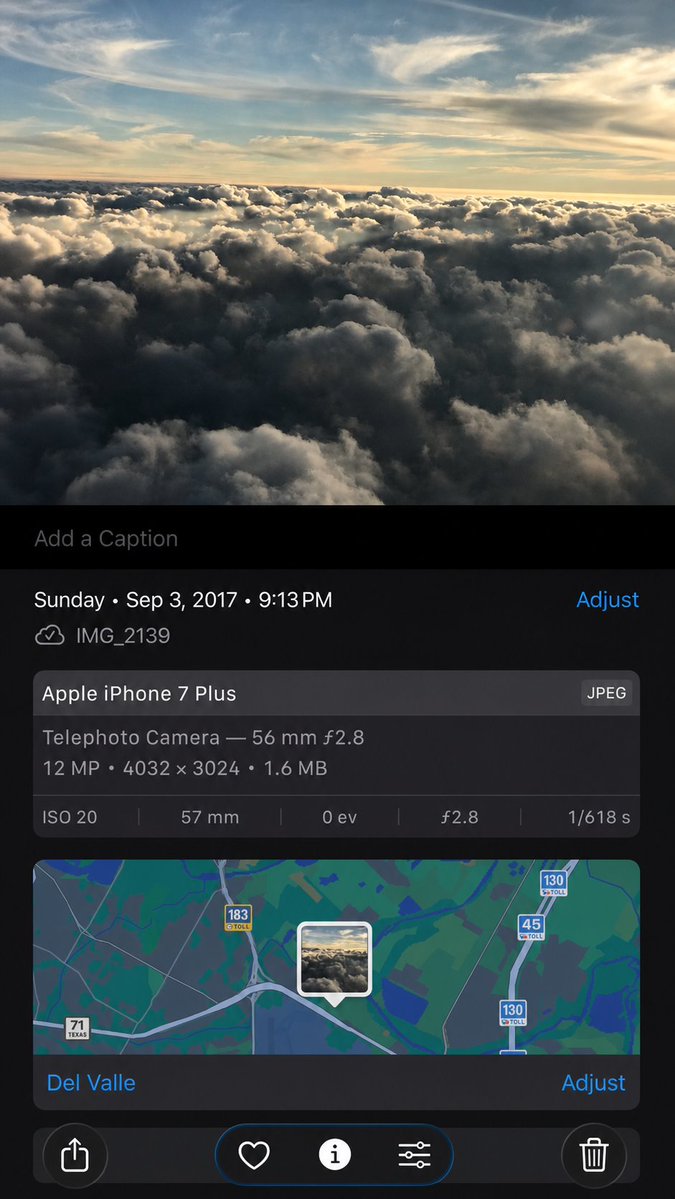
产品视觉 GPT Image 2 提示词:Synthetic iPhone Photos Metadata Screenshot
Creates a realistic rebuilt iPhone Photos details screen from a reference screenshot, preserving metadata, map UI, and controls while subtly regenerating the image content.
📝 提示词
Using the provided iPhone Photos screenshot as the reference, recreate it as a cleaner, high-fidelity synthetic screenshot while preserving the same overall content: the cloud photo, the Photos app metadata panel, the map, date/time, filename, camera details, and bottom controls. Subtly rebuild the cloud image rather than copying it exactly, with a slightly wider-feeling crop, sharper modern rendering, and a more polished dark iOS interface. Keep the visible text and metadata unchanged, including {argument name="date and time" default="Sunday • Sep 3, 2017 • 9:13 PM"}, {argument name="filename" default="IMG_2139"}, {argument name="device name" default="Apple iPhone 7 Plus"}, {argument name="location" default="Del Valle"}, and {argument name="photo specs" default="Telephoto Camera — 56 mm ƒ2.8; 12 MP • 4032 × 3024 • 1.6 MB; ISO 20; 57 mm; 0 ev; ƒ2.8; 1/618 s"}. Include exactly 5 bottom toolbar icons: share, heart, information, adjustment sliders, and trash. Keep the map section with the centered photo-pin thumbnail and the visible road shields 71 Texas, 183 toll, 45 toll, and 130 toll.
🎯 适合场景
适合快速搭建产品图、包装展示和品牌海报:主体、材质、背景与商业修图方向已经有框架,换掉变量就能开跑。
💡 改写建议
- 先替换变量里的品类、人物、城市、品牌色,不急着改整段结构。 把主体、构图和风格分开写,后续微调会更稳。