产品展示
信息图
界面稿
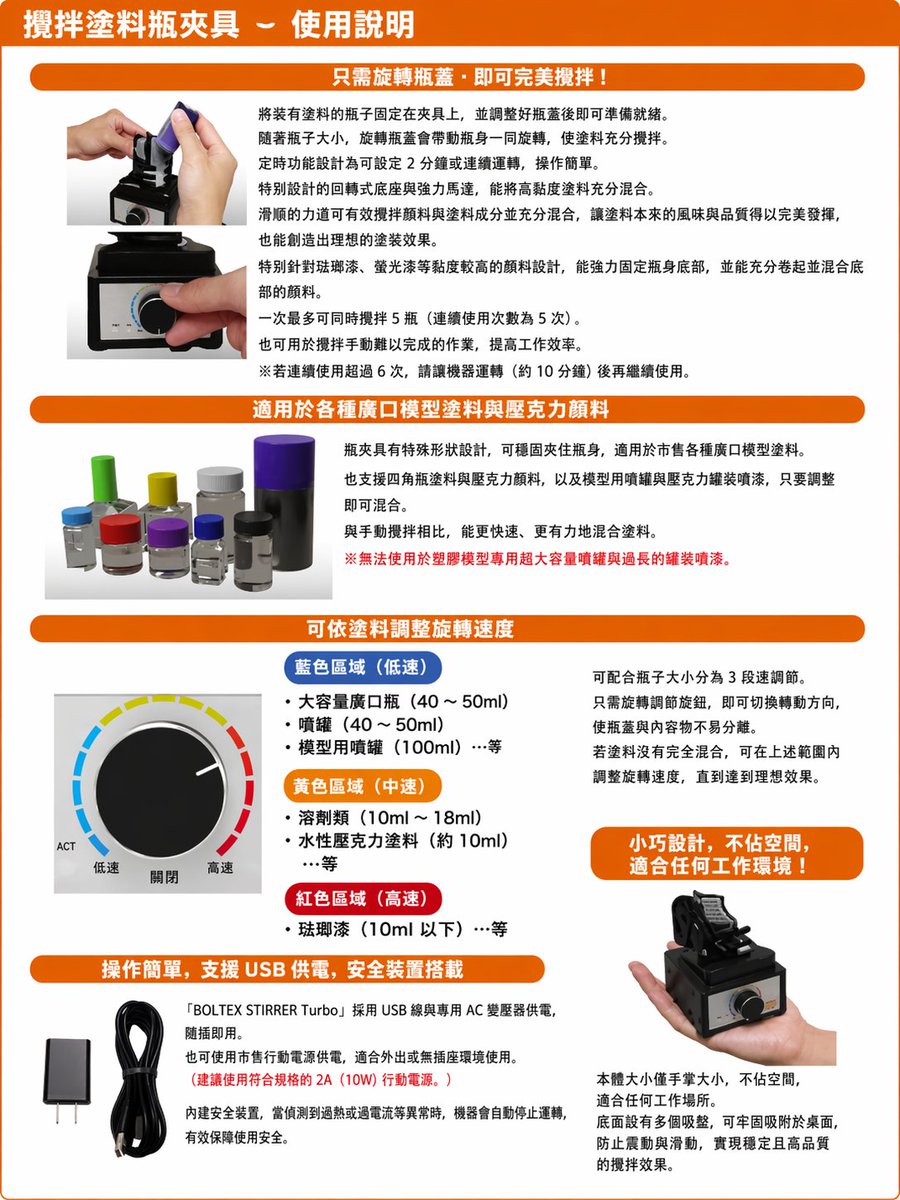
产品视觉 GPT Image 2 提示词:Translate Japanese manual into Chinese leaflet
Generates a polished Traditional Chinese localized product instruction sheet from a photographed Japanese manual while preserving the original layout and images.
📝 提示词
Using the provided reference image, recreate the same product instruction leaflet as a clean, professionally typeset Traditional Chinese version. Keep the overall brochure layout, orange header bars, section structure, product photos, knob diagram, USB accessories, and handheld product shot in the same approximate positions, but replace all Japanese text with natural Traditional Chinese copy and make it look like a polished localized manual. Preserve the 4 main content sections plus the top title banner. Use these Chinese headings: 1) top title: 「攪拌塗料瓶夾具-使用說明」, 2) section header: 「只需旋轉瓶蓋,即可完美攪拌!」, 3) section header: 「適用於各種廣口模型塗料與壓克力顏料」, 4) section header: 「可依塗料調整旋轉速度」, 5) section header: 「操作簡單,支援 USB 供電,安全裝置搭載」. In the speed section, keep the knob illustration and relabel the 3 color-coded ranges in Traditional Chinese with exactly 3 categories: 「藍色區域(低速)」, 「黃色區域(中速)」, 「紅色區域(高速)」, and keep the knob labels as exactly 3 labels: 「低速」, 「關閉」, 「高速」. Add 1 orange callout box on the right side of the speed section reading: 「小巧設計,不佔空間,適合任何工作環境!」. In the bottom-left text block, include the product name in English as 「BOLTEX STIRRER Turbo」 within the Chinese paragraph. Make the page cleaner, brighter, and easier to read than the reference, with crisp print graphics, corrected perspective, and high-resolution catalog/manual styling.
🎯 适合场景
适合快速搭建产品图、包装展示和品牌海报:主体、材质、背景与商业修图方向已经有框架,换掉变量就能开跑。
💡 改写建议
- 先替换变量里的品类、人物、城市、品牌色,不急着改整段结构。 把主体、构图和风格分开写,后续微调会更稳。