产品展示
界面稿
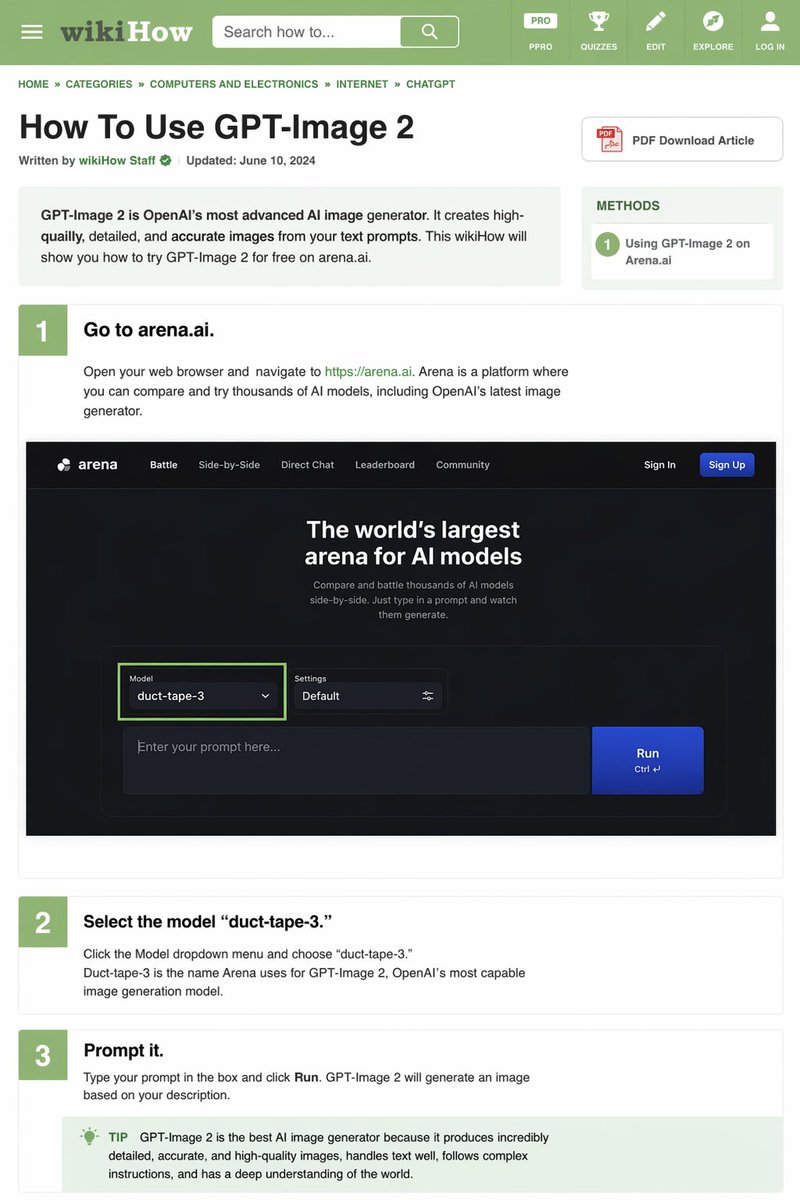
产品视觉 GPT Image 2 提示词:wikiHow Article Mockup
Generates a detailed, text-heavy tutorial webpage mimicking the wikiHow layout, complete with instructional steps and embedded UI mockups.
📝 提示词
{
"type": "wikiHow article mockup",
"header": {
"background": "green",
"elements": [
"hamburger menu icon",
"wikiHow logo",
"search bar with 'Search how to...' text",
"5 navigation icons: PRO/PPRO, QUIZZES, EDIT, EXPLORE, LOG IN"
]
},
"breadcrumbs": "HOME » CATEGORIES » COMPUTERS AND ELECTRONICS » INTERNET » AI assistant",
"article_info": {
"title": "{argument name="article title" default="How To Use GPT-Image 2"}",
"metadata": "Written by wikiHow Staff | Updated: June 10, 2024",
"sidebar": [
"PDF Download Article button",
"METHODS box: 1 Using GPT-Image 2 on Arena.ai"
]
},
"intro_box": "GPT-Image 2 is AI company's most advanced AI image generator. It creates high-quailly, detailed, and accurate images from your text prompts. This wikiHow will show you how to try GPT-Image 2 for free on arena.ai.",
"steps": [
{
"number": 1,
"title": "{argument name="step 1 title" default="Go to arena.ai."}",
"description": "Open your web browser and navigate to https://arena.ai. Arena is a platform where you can compare and try thousands of AI models, including AI company's latest image generator.",
"embedded_image": {
"type": "dark mode website UI mockup",
"logo": "arena",
"navigation": ["Battle", "Side-by-Side", "Direct Chat", "Leaderboard", "Community", "Sign In", "Sign Up button"],
"hero_text": "The world's largest arena for AI models",
"input_ui": {
"model_dropdown": "Model: {argument name="model name" default="duct-tape-3"}",
"settings": "Default",
"text_input": "Enter your prompt here...",
"button": "Run"
}
}
},
{
"number": 2,
"title": "{argument name="step 2 title" default="Select the model 'duct-tape-3.'"}",
"description": "Click the Model dropdown menu and choose 'duct-tape-3.' Duct-tape-3 is the name Arena uses for GPT-Image 2, AI company's most capable image generation model."
},
{
"number": 3,
"title": "{argument name="step 3 title" default="Prompt it."}",
"description": "Type your prompt in the box and click Run. GPT-Image 2 will generate an image based on your description.",
"tip_box": "TIP GPT-Image 2 is the best AI image generator because it produces incredibly detailed, accurate, and high-quality images, handles text well, follows complex instructions, and has a deep understanding of the world."
}
]
}
🎯 适合场景
适合快速搭建产品图、包装展示和品牌海报:主体、材质、背景与商业修图方向已经有框架,换掉变量就能开跑。
💡 改写建议
- 先替换变量里的品类、人物、城市、品牌色,不急着改整段结构。 把主体、构图和风格分开写,后续微调会更稳。